Close Menu
  • Home
  • About
  • Wearables
  • Earbuds
  • Computer Accessories
    • Routers
    • Remotes
  • Embedded
    • Single Board Computers
    • Addon Boards
    • Raspberry Pi
  • Wireless Routers
  • Contact
Facebook X (Twitter) Instagram Threads
Trending
  • Orange Pi 6 Debuts: Next-Gen 45 TOPS AI SBC Outpace Raspberry Pi HATs in Performance
  • Orange Pi Zero 3W Review: $25 Dual Video Pi Zero 2W Killer?
  • CamThink NeoEyes NE503: A 20 TOPS 4k Edge AI Camera Platform Powerhouse
  • AliExpress Promo Codes: June 2026 (100% Verified)
  • DFRobot 6.67″ Flexible AMOLED Review: Best Raspberry Pi & LattePanda Display?
  • Banana Pi BPI-SM10 Review: 60 TOPS RISC-V Jetson Orin Nano Alternative
  • SpacemiT K3 Pico-ITX Review: 60-TOPS RISC-V Powerhouse for LLMs?
  • Banana Pi BPI-R4 Pro Review: The Best WiFi 7 OpenWrt Router? We Checked!
AndroidPIMP
Facebook X (Twitter) Instagram
  • Home
  • About
  • Wearables
  • Earbuds
  • Computer Accessories
    • Routers
    • Remotes
  • Embedded
    • Single Board Computers
    • Addon Boards
    • Raspberry Pi
  • Wireless Routers
  • Contact
AndroidPIMP

Banana Pi BPI-R4 Pro Review: The Best WiFi 7 OpenWrt Router? We Checked!

8
By androidpimp on March 17, 2026 Embedded Computers
Banana bpi r4 pro
Banana bpi r4 pro
Table of contents
  1. Part One: Meet the successor to the R4, the more powerful and advanced BPI-R4 Pro Router Board.
  2. Equipped with the MediaTek Filogic 880 SoC
    1. 1. Enhanced connectivity with WiFi 7 support
    2. 2. Interfaces
    3. 3. Computing power
    4. 4. NPU
    5. 5. Equipped with Tunnel Offloading Processor System (TOPS)
  3. Specifications
  4. Featuring a new and improved design
    1. General design updates have been made compared to the previous Banana Pi R4, including an improved case design.
  5. Detailed Overview of the Board Interfaces
    1. Network ports
  6. RT5400 PoE Module (Optional)
    1. Mobile network connectivity
    2. Wi-Fi 6E/Wi-Fi 7 NIC card
      1. BE14 โ€“ Triโ€‘band Wiโ€‘Fi 7 NIC Configuration
  7. BE19 โ€“ 4T4R band Wiโ€‘Fi 7 NIC Configuration
    1. Storage Options
    2. Power Supply
  8. Key interfaces
  9. Spec comparison of the Banana Pi BPI-R4 Pro, Lite, and R4.
  10. Typical Applications
  11. Part Two: Banana Pi BPI-R4 Pro Review (Currently being updated)
    1. Contents of the package
  12. A closer look at the BPI R4 Pro board
  13. Port names
  14. Unboxing the R4 Pro Accessories
  15. The Metal Case
    1. The components of the case
  16. Initial setup
  17. Installing an NVMe SSD
    1. NVMe stress-testing with fio
    2. Thereโ€™s also a major upgrade if you plan on using NVMe SSDs!
    3. Installation experience
    4. Installing the side-mounted fans
    5. Putting all parts together
    6. Do the fans make a lot of noise?
  18. Putting all the items together
    1. Installing the NIC WiFi 7 Module (BE14)
  19. Upgrading to future WiFi NIC modules
  20. Arrangement of Wi-Fi antenna cabling
  21. Shielding Wi-Fi cables in the most affordable way possible (Optional)
    1. Steps:
  22. Installing a compatible 5G modem card โ€“ what you need to know!
    1. The solutions:
      1. Fix 1: The Software โ€œForce-USBโ€ Workaround (Relevant to slots No. 35 and 36)
      2. Fix 2: The Hardware โ€œPCIe-Nativeโ€ Option (Recommended)
  23. Cooling the SFP+ modules
  24. The final result
  25. How to power the R4 Pro
  26. Checking the working temperatures
  27. Software wise
    1. BPI-R4 Pro bootstrap configuration
    2. The best choice for now!
    3. What image can you use right now?
    4. Using AI to build a network configuration that actually works!
    5. We gave the official Banana Pi snapshot a test run
  28. Ethernet and SFP+ Interfaces
  29. Which ports should you use?
  30. Final thoughts
  31. Banana Pi BPI-R4/Pro Pricing and Availability
    1. ๐Ÿ›’ Estimated Amazon Prices for Banana Pi BPIโ€‘R4 / R4 Pro
    2. ๐Ÿ›’ Estimated AliExpress Prices for Banana Pi BPIโ€‘R4 / R4 Pro
    3. R4 Pro Bundled packages
    4. Accessory Pricing Guidelines
    5. Key Performance Differences
  32. Places to buy!
    1. Banana Pi BPI-R4Pro Best Value
    2. Banana Pi BPI-R4 Pro
    3. About Banana Pi

Initial setup

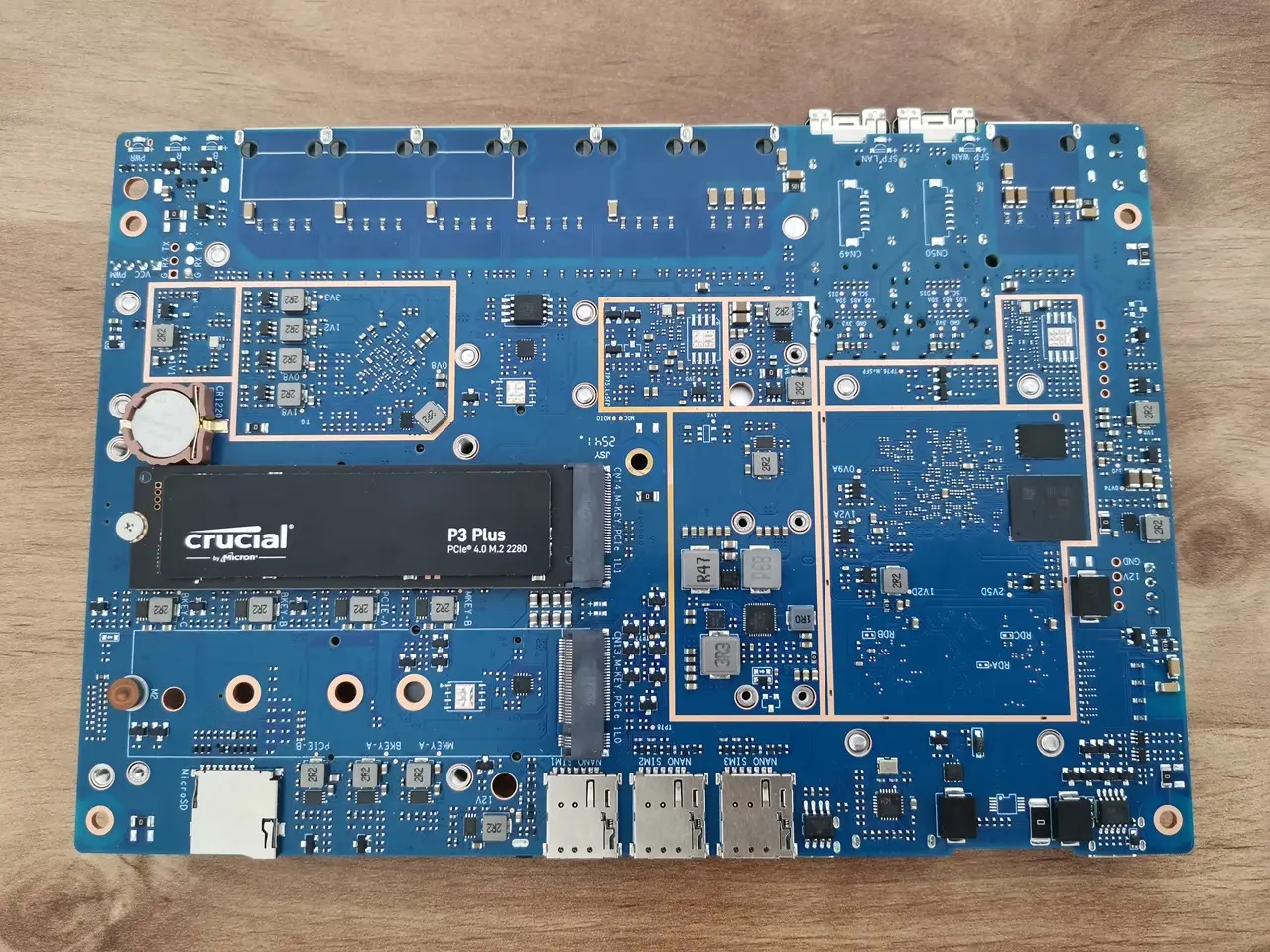
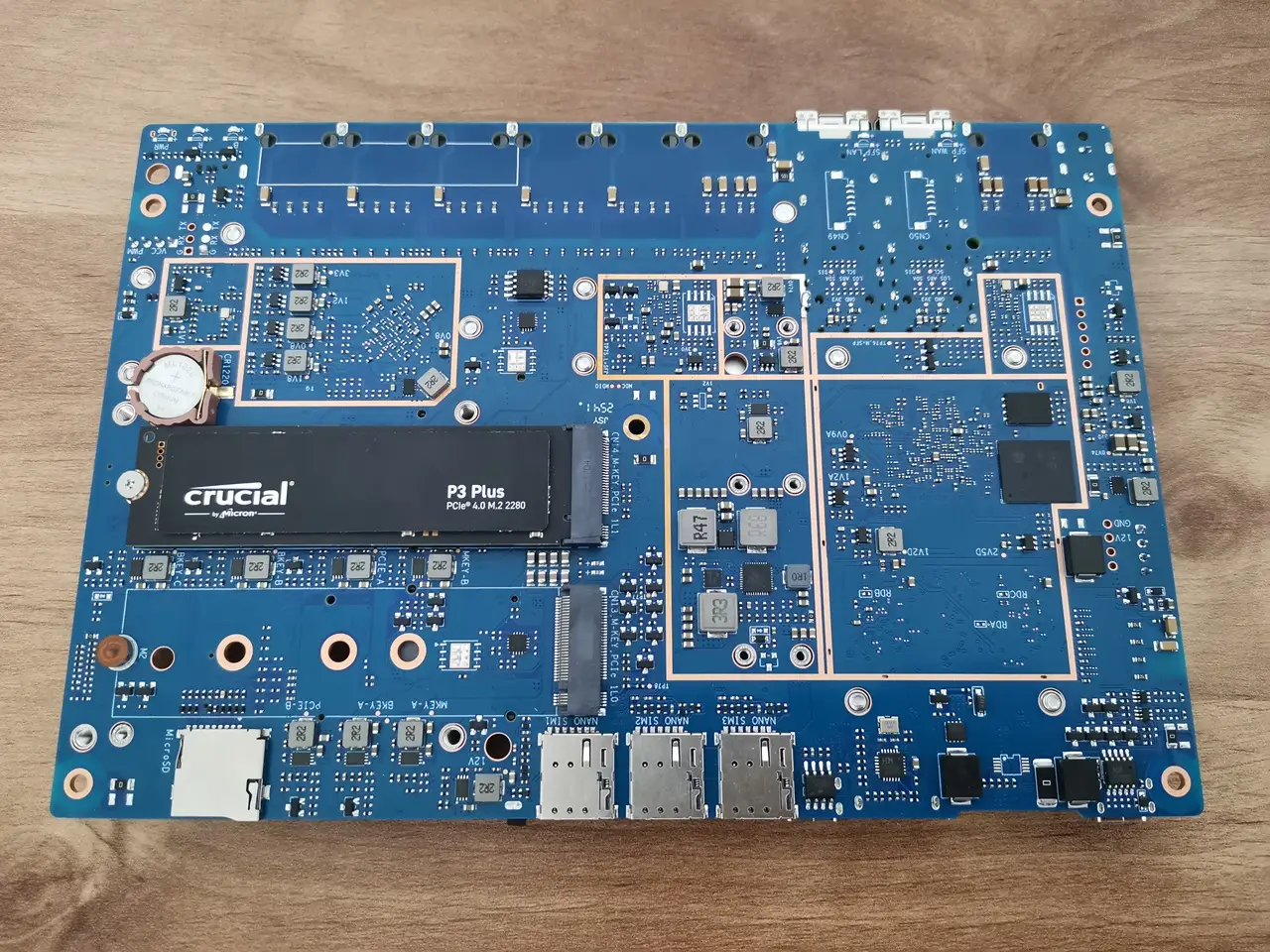
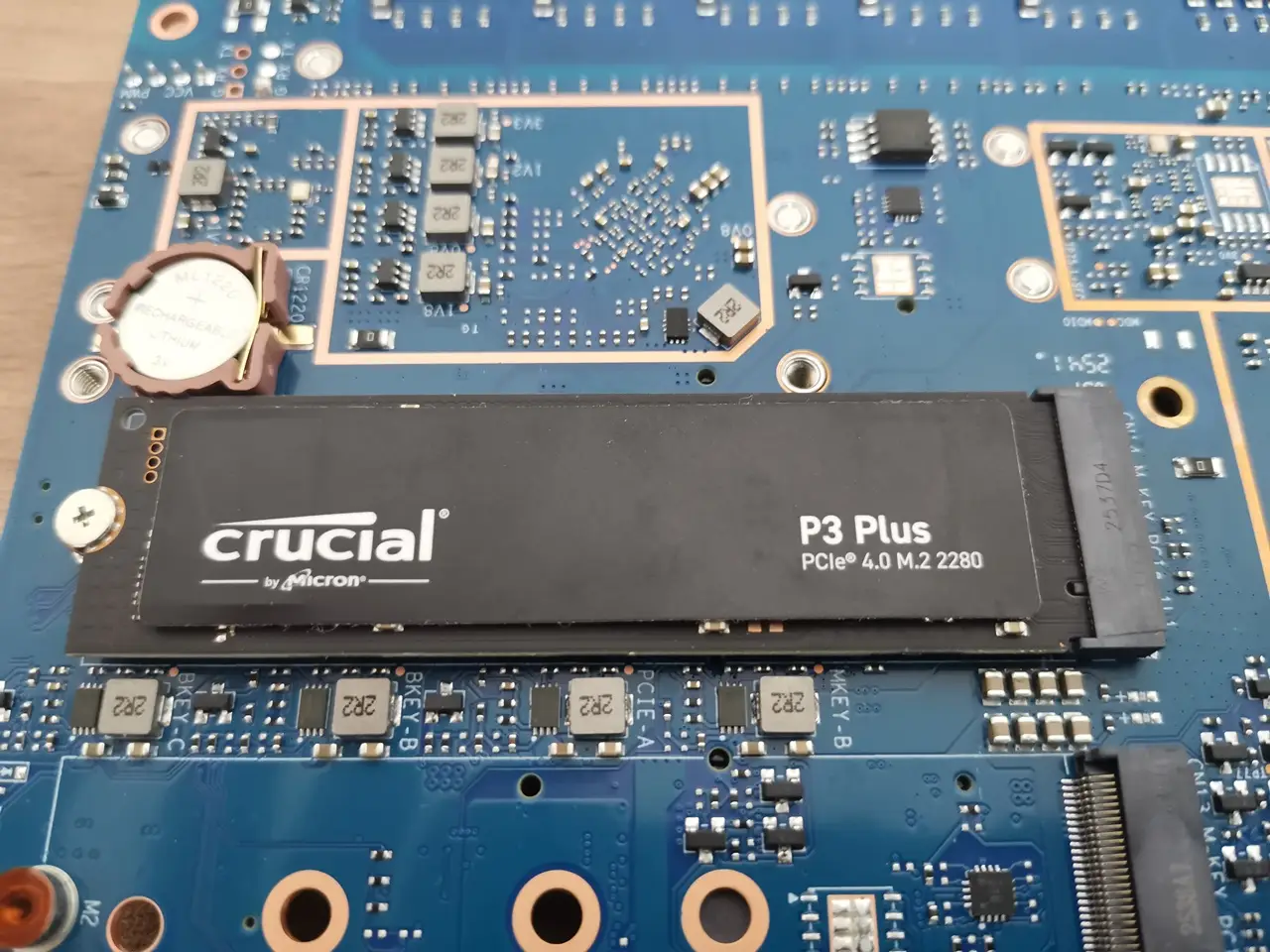
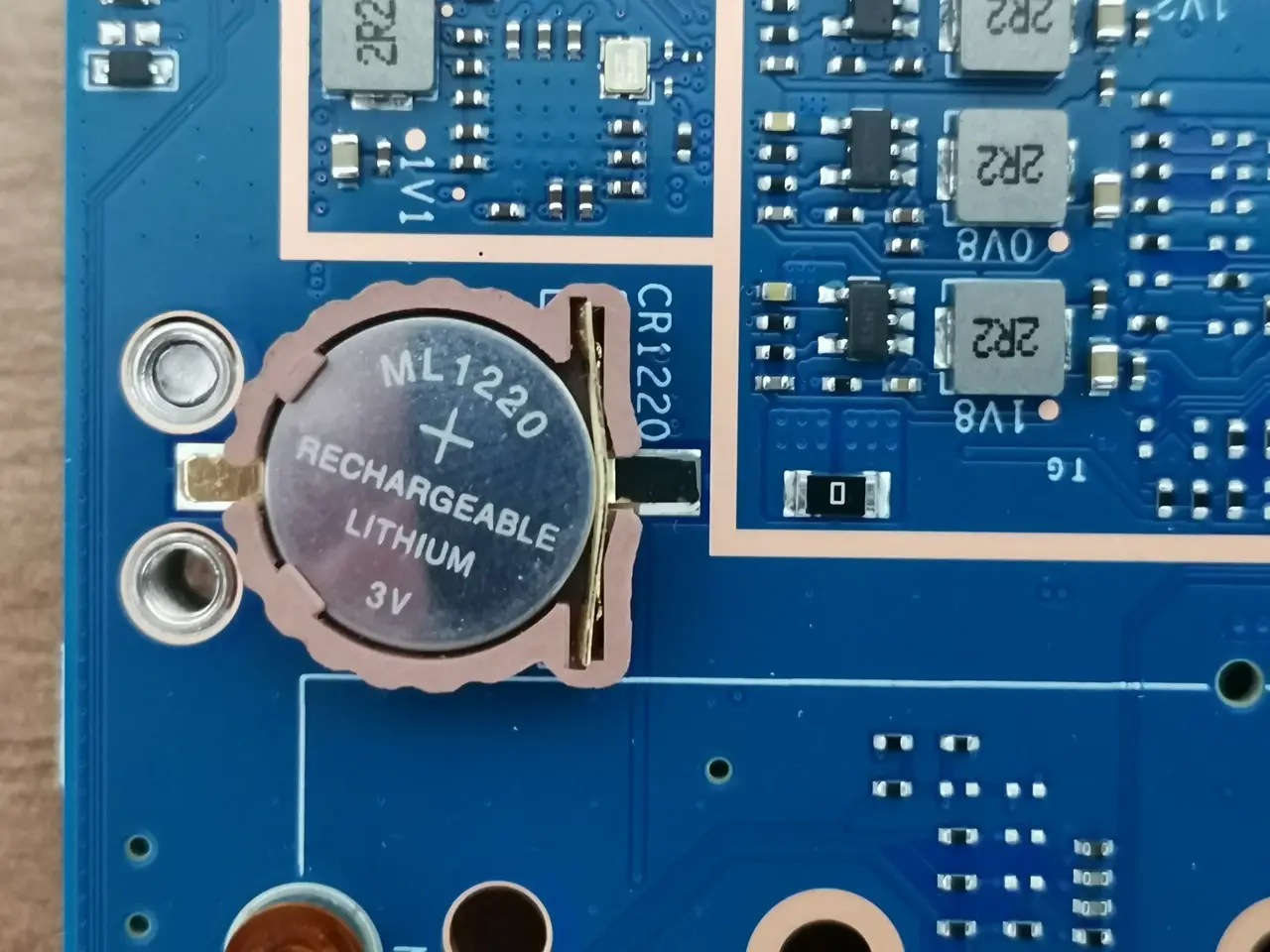
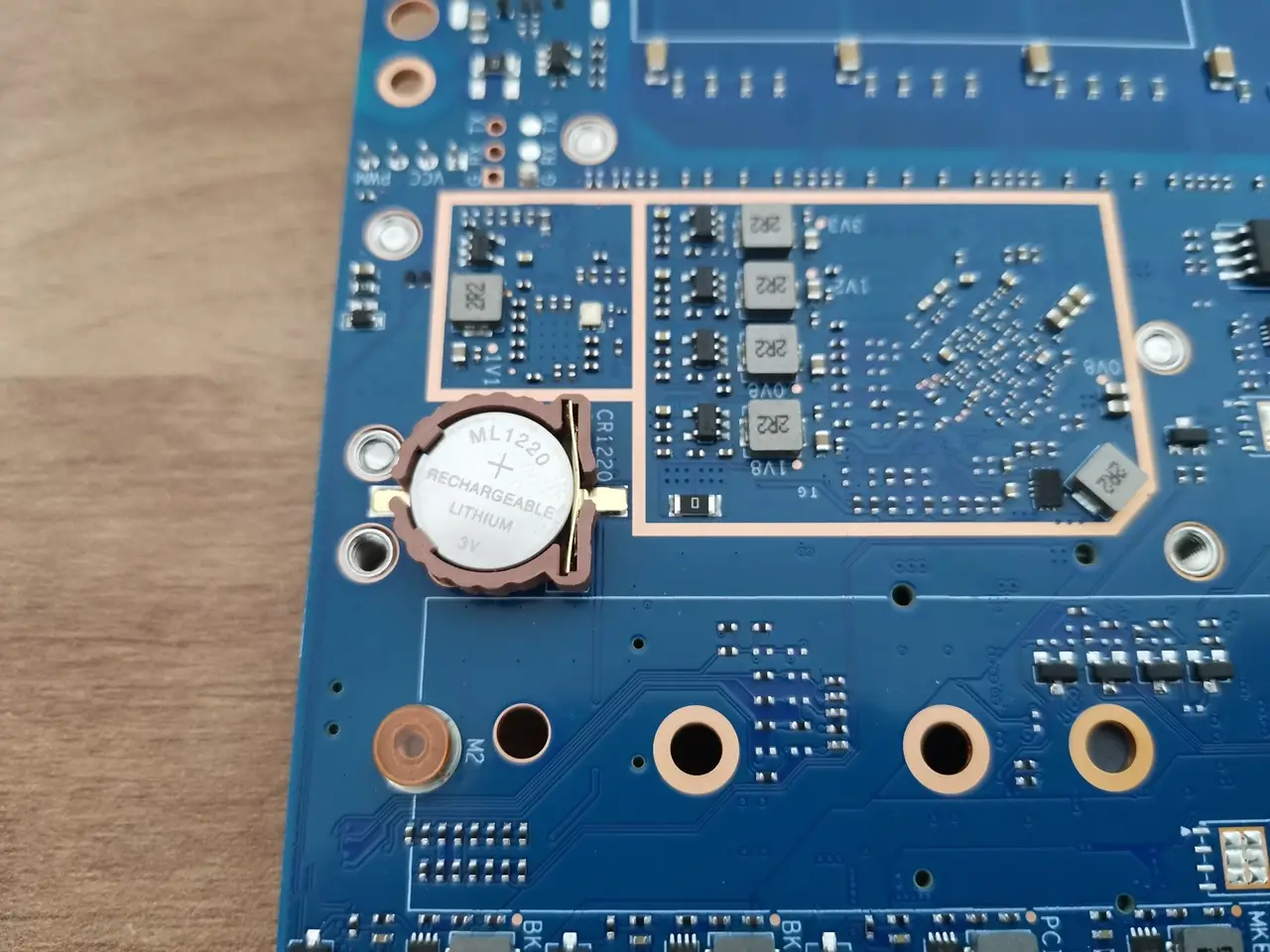
Before assembling the R4 Pro board into the metal case, it’s a good idea to install the CMOS battery first. The board features a built-in battery housing located on the rear side of the board next to the NVMe SSD socket. We recommend using a standard ML1220 3V rechargeable lithium battery, which can be purchased separately. This method keeps accurate time and saves certain boot-related settings even when the power is off. Without it, the system loses its real-time clock (RTC) data every time the power is disconnected.
BPI R4Pro CMOS Battery 1
BPI R4Pro CMOS Battery 2
BPI R4Pro CMOS Battery 3

Installing an NVMe SSD

Pi R4 Pro NVMe Install 1
Pi R4 Pro NVMe Install 2

NVMe stress-testing with fio

This test covers:

  • High queue‑depth NVMe saturation tests
  • Latency tests
  • Sequential read/write max‑throughput tests
  • Random 4K IOPS tests
  • Mixed workload tests
TestBandwidth (BW)IOPS
seq-read771 MiB/s770
seq-write831 MiB/s831
seq-rw597 MiB/s596
rand-read49.3 MiB/s12.6k
rand-write192MiB/s49.1k
mixed42.7MiB/s10.9k
latency51.5MiB/s13.2k
full stress60.8MiB/s15.6k

There’s also a major upgrade if you plan on using NVMe SSDs!

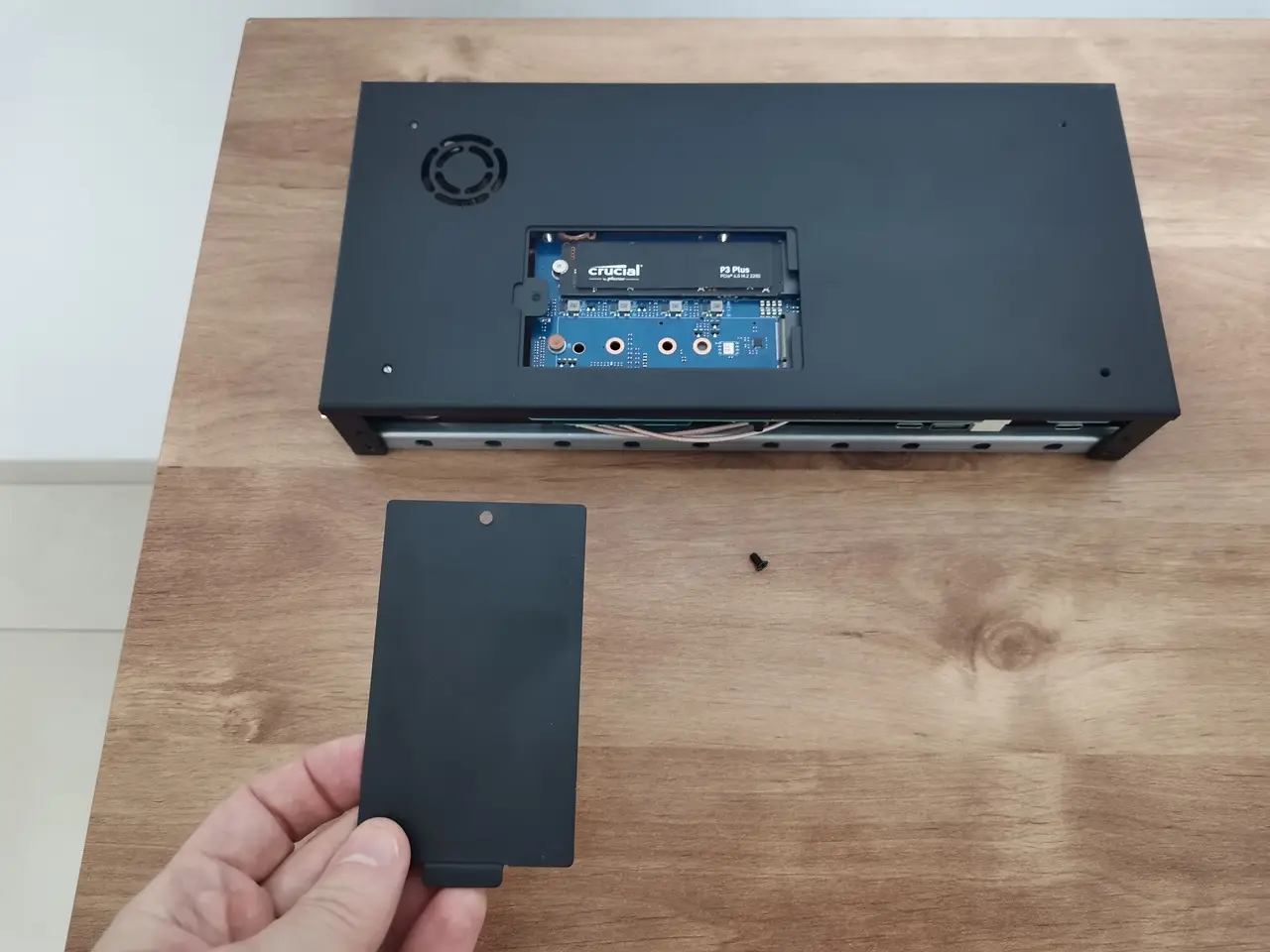
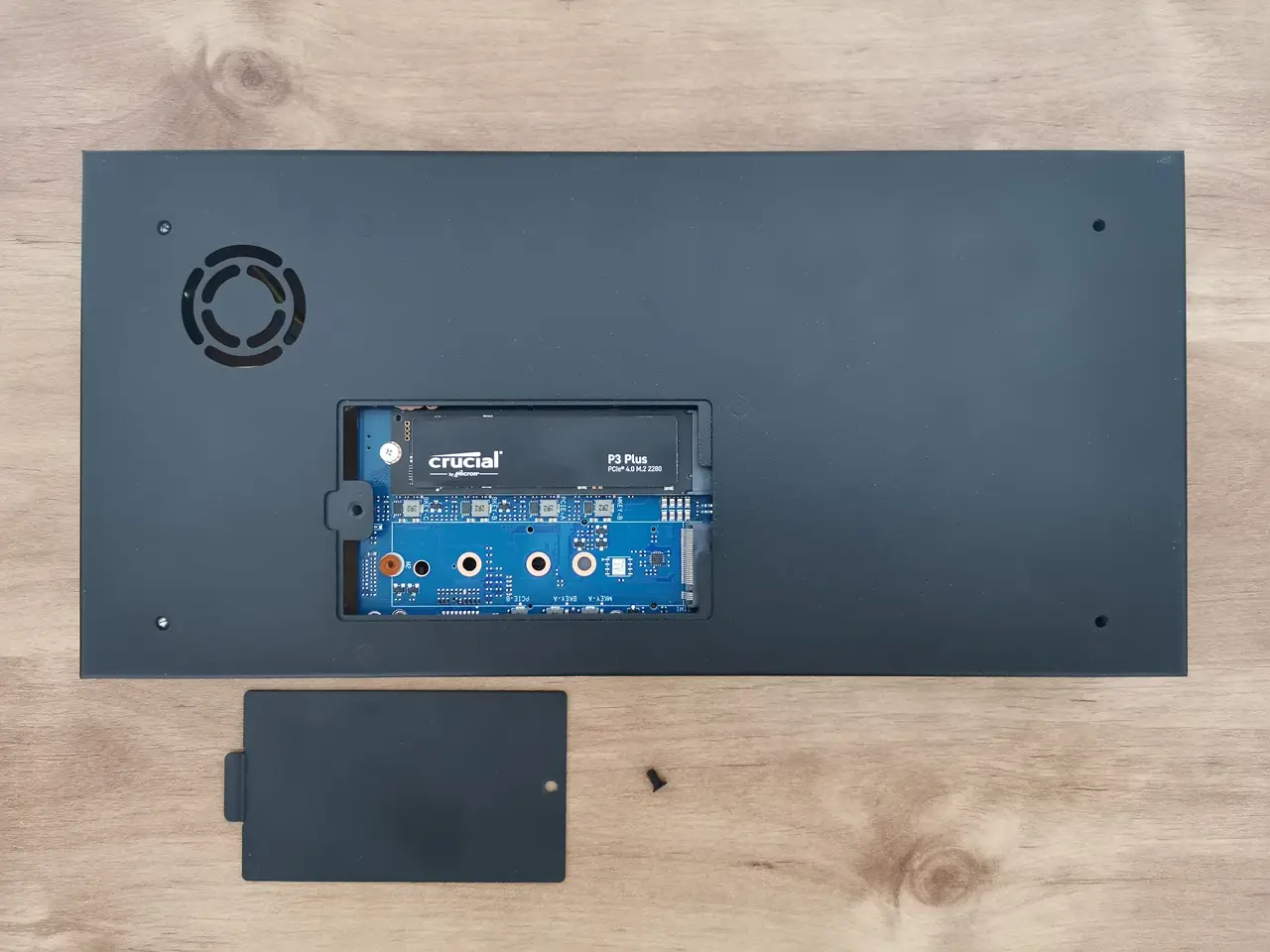
The Banana Pi team designed a small compartment at the bottom of the case, allowing quick and easy access to NVMe SSDs slots (sockets) so they can be swapped out whenever needed without reopening the case cover.

Accessing the NVMe slots from the bottom of the case.
BPI R4Pro NVMe Access 1
BPI R4Pro NVMe Access 2

Installation experience

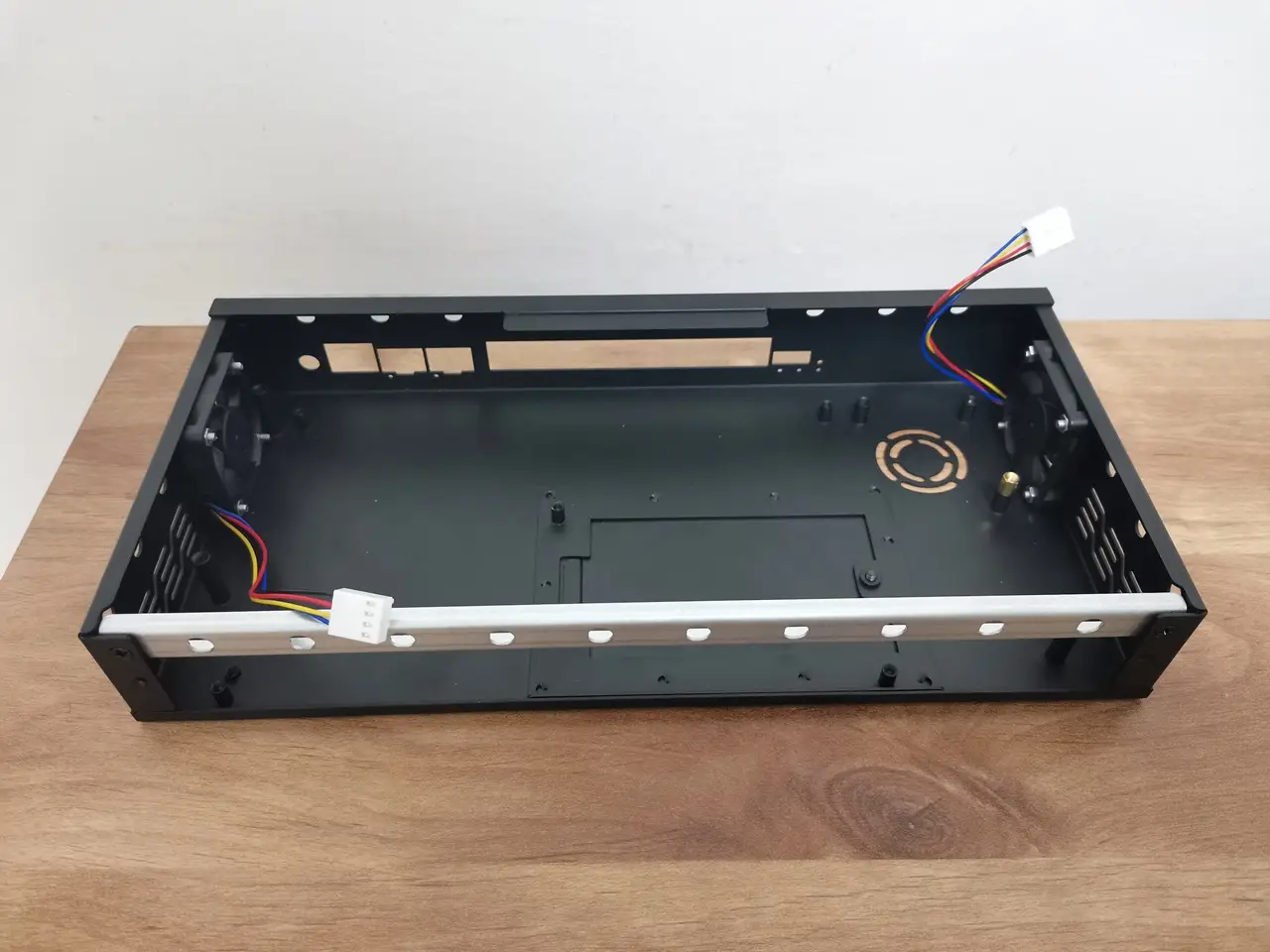
It was a bit tricky, but we got it sorted—the holes on the back for the Wi-Fi antennas intentionally don’t have cutouts for the antenna nuts. Instead, the company provided a metal rail with the necessary cutouts that attaches to the base of the case with two screws. This design approach allows users to freely open the cover while the antenna nuts remain assembled on the metal rail.

Assembling the main components of the case
BPI R4Pro ASM
BPI R4 Pro Assembly

Overall, the case design is great, but there’s one small yet important drawback: it lacks holes for mounting a top 60 mm cooling fan. If you want to add one, you’ll need to drill four holes in the cover or use strong adhesive to attach the fan directly.

Installing the side-mounted fans

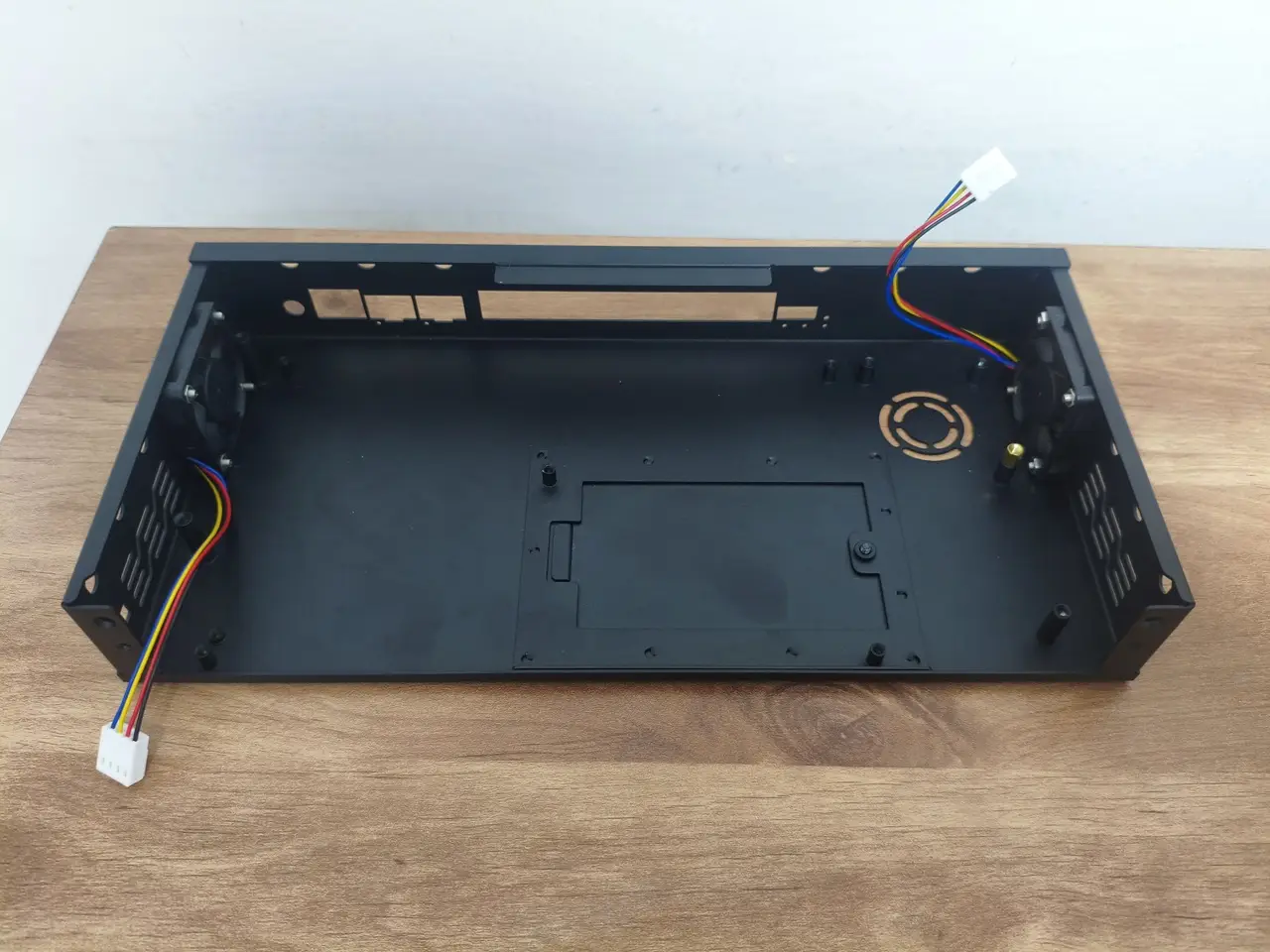
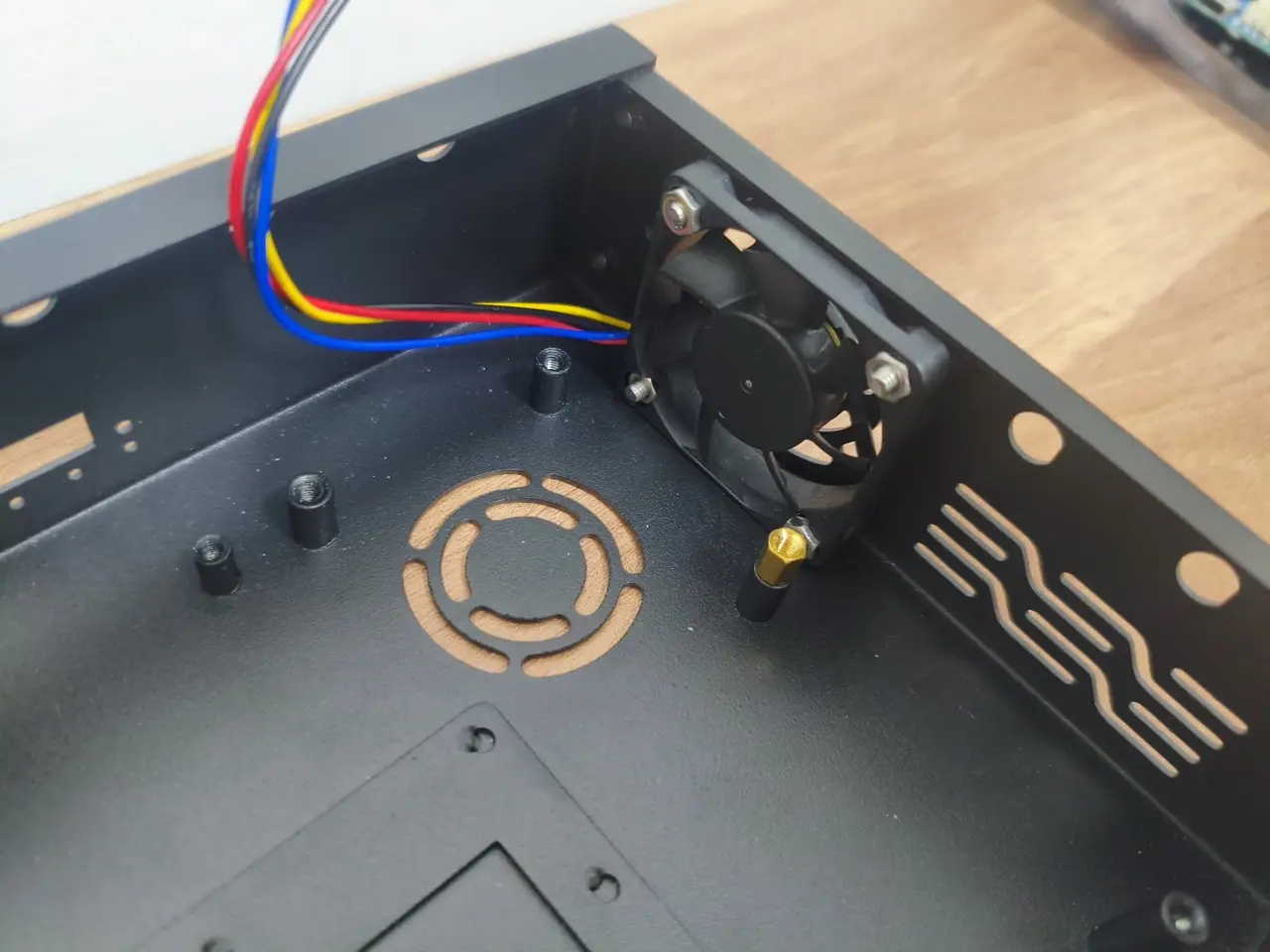
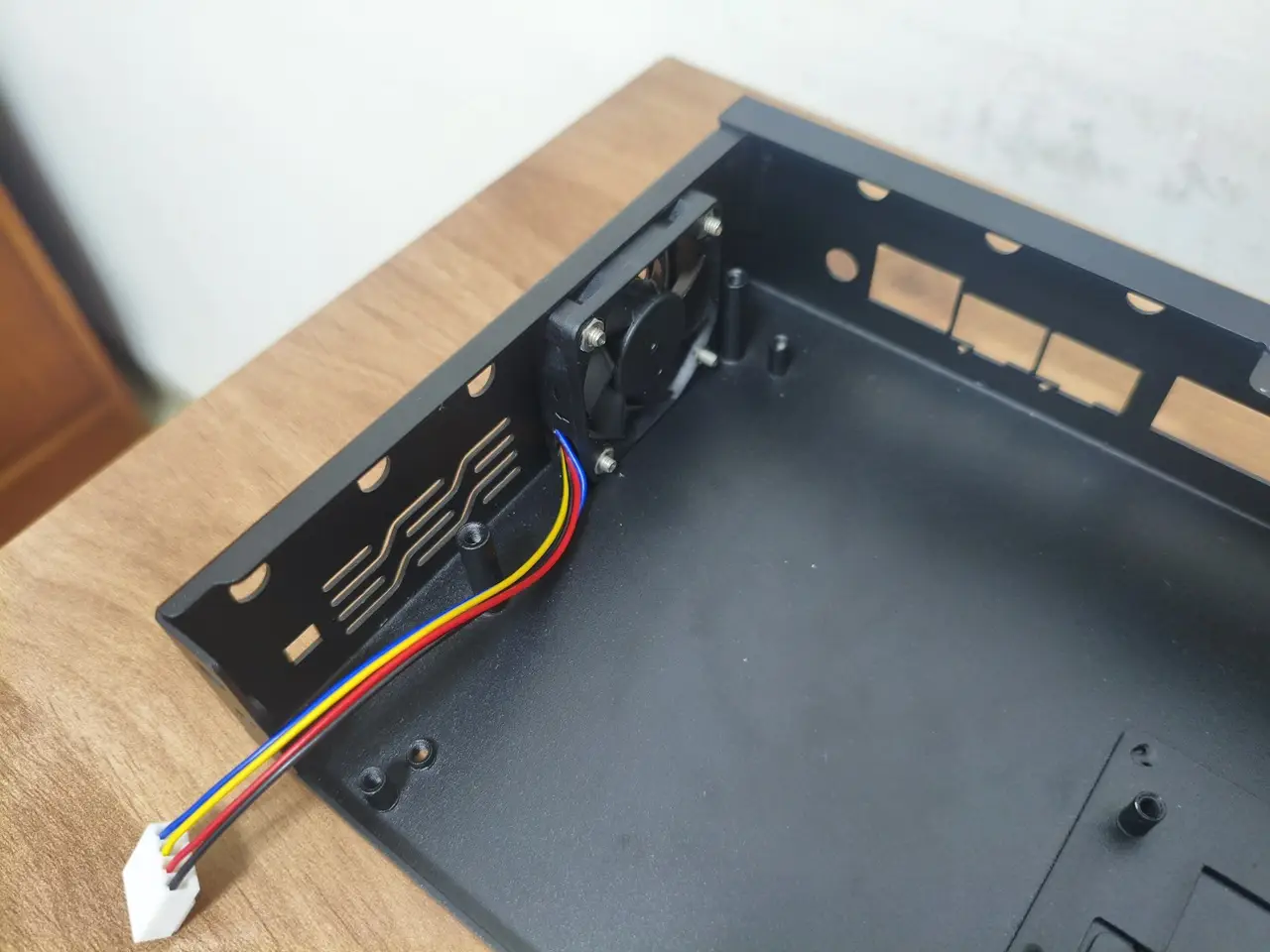
The BPI-R4Pro comes with two fan connectors designed for 4-wire PWM-controlled fans, just like those on standard PC motherboards. Powered by a 12V supply, the fan was easy to install, making the whole setup quick and effortless.

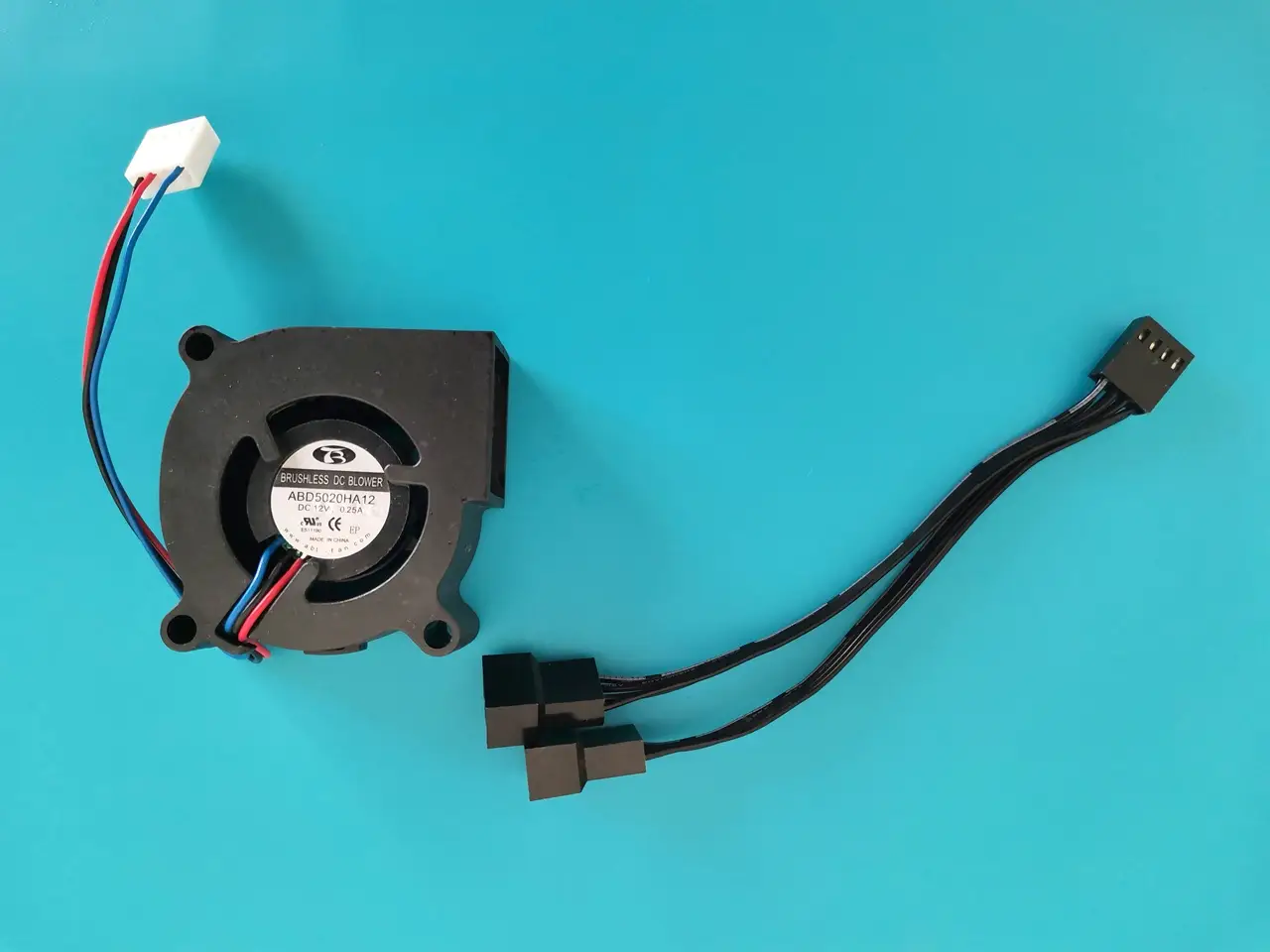
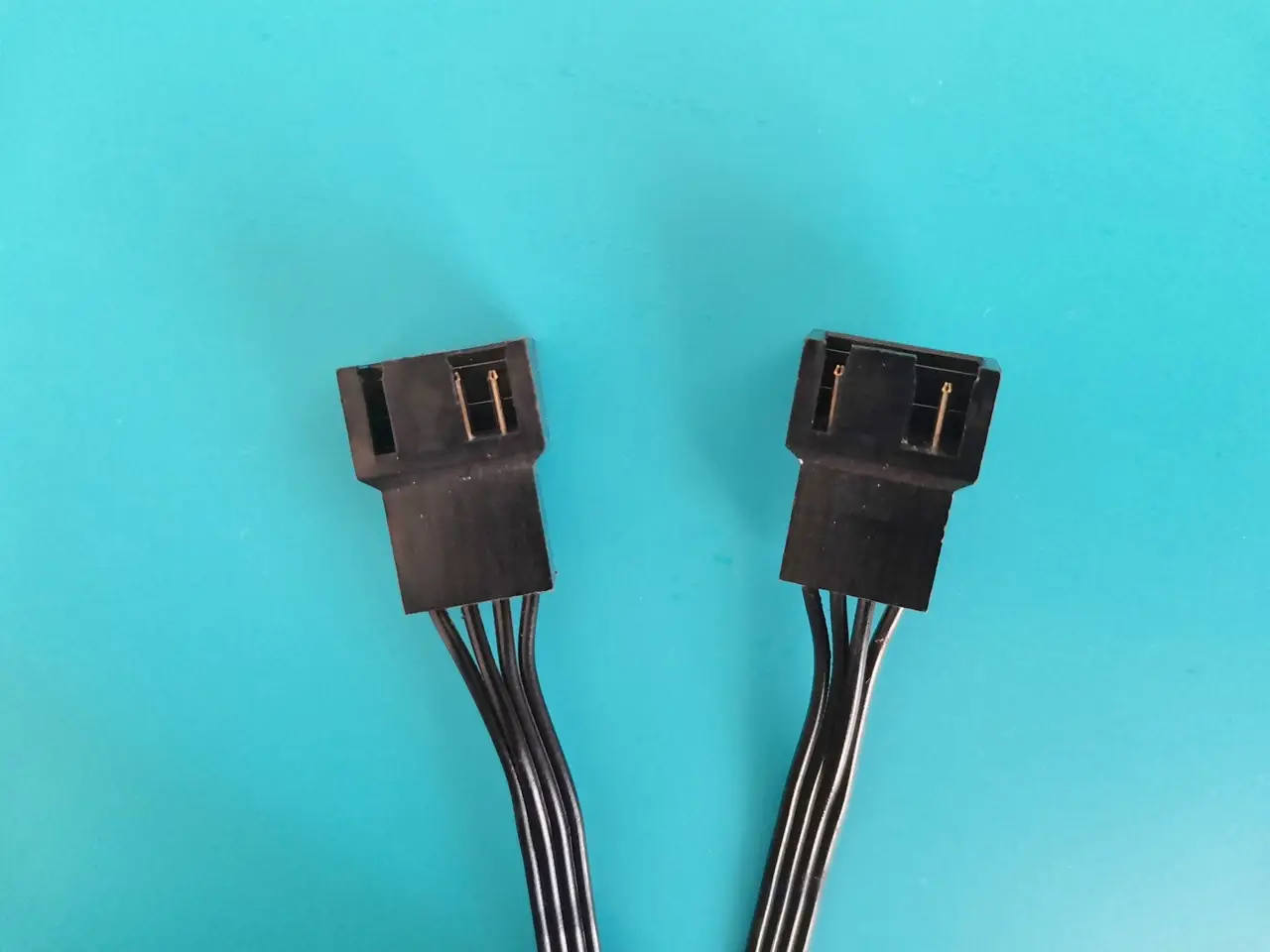
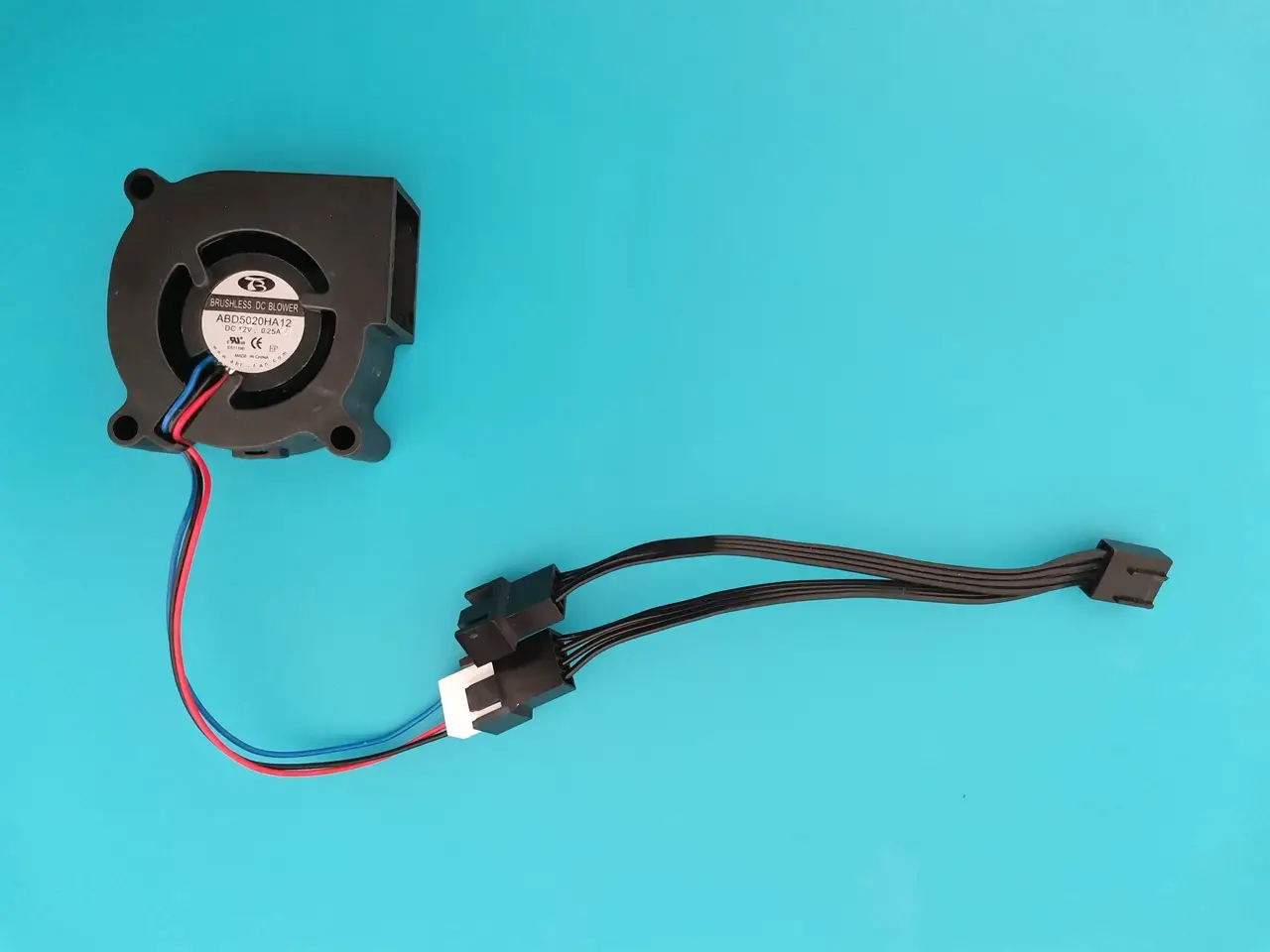
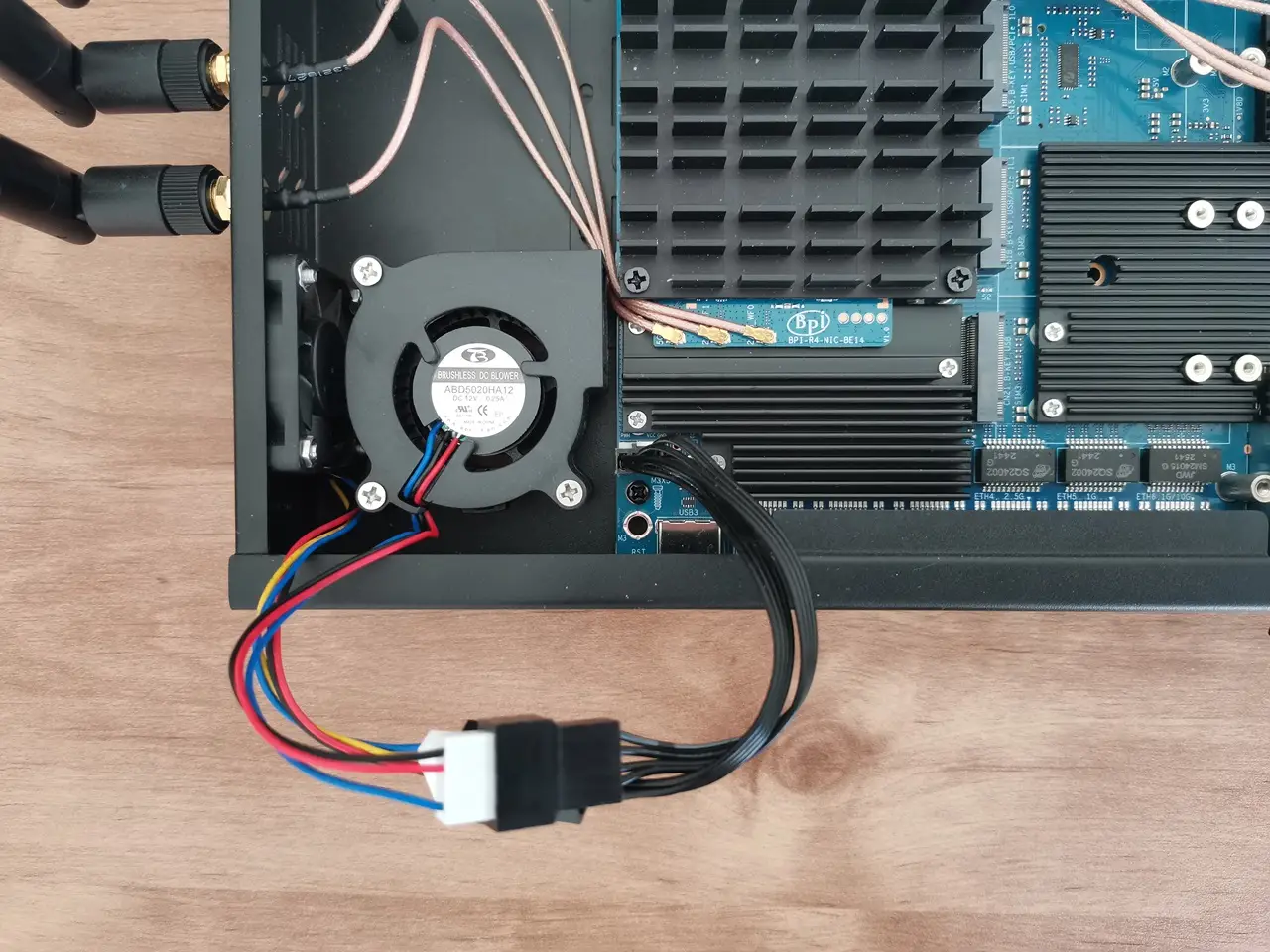
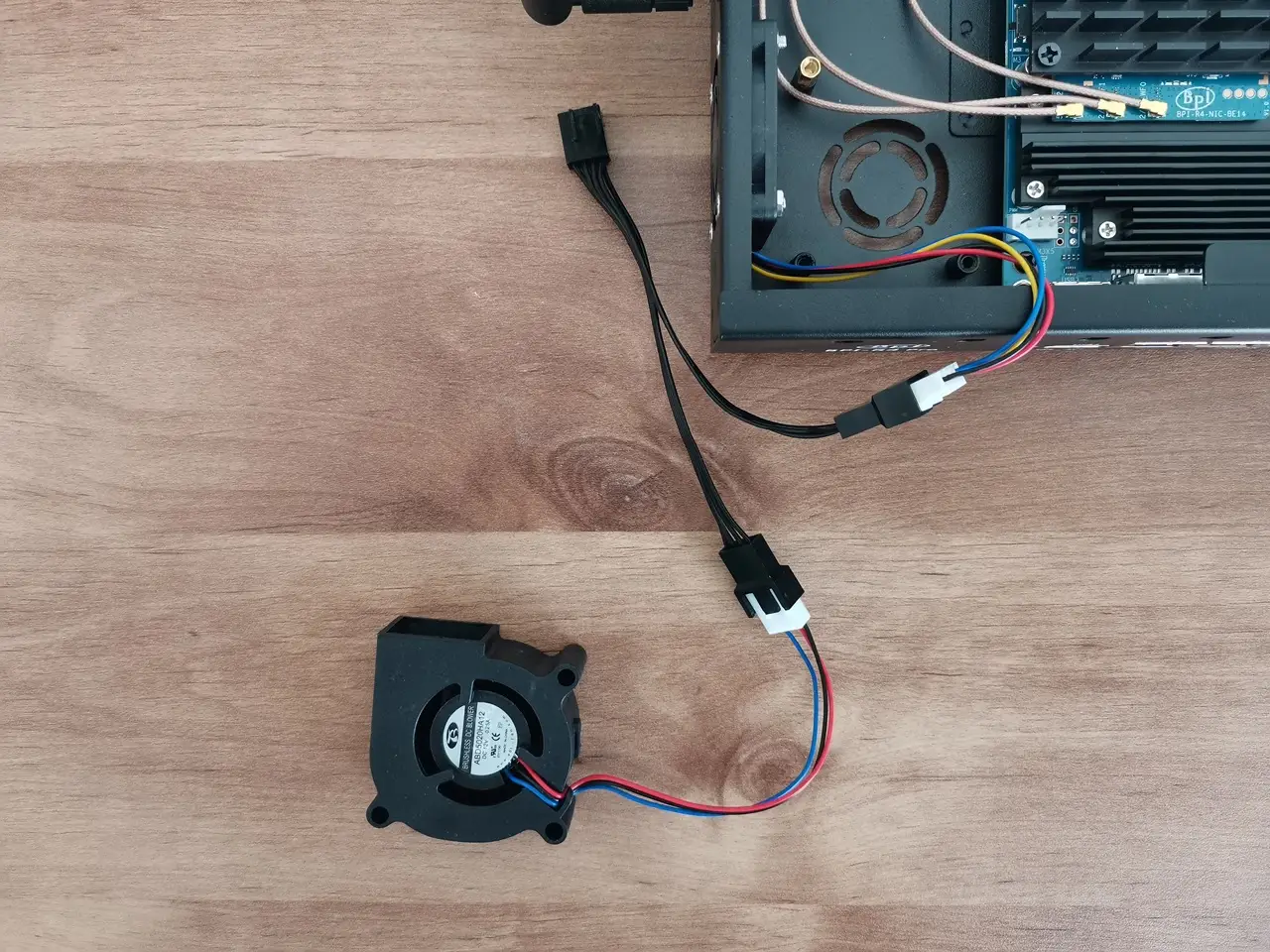
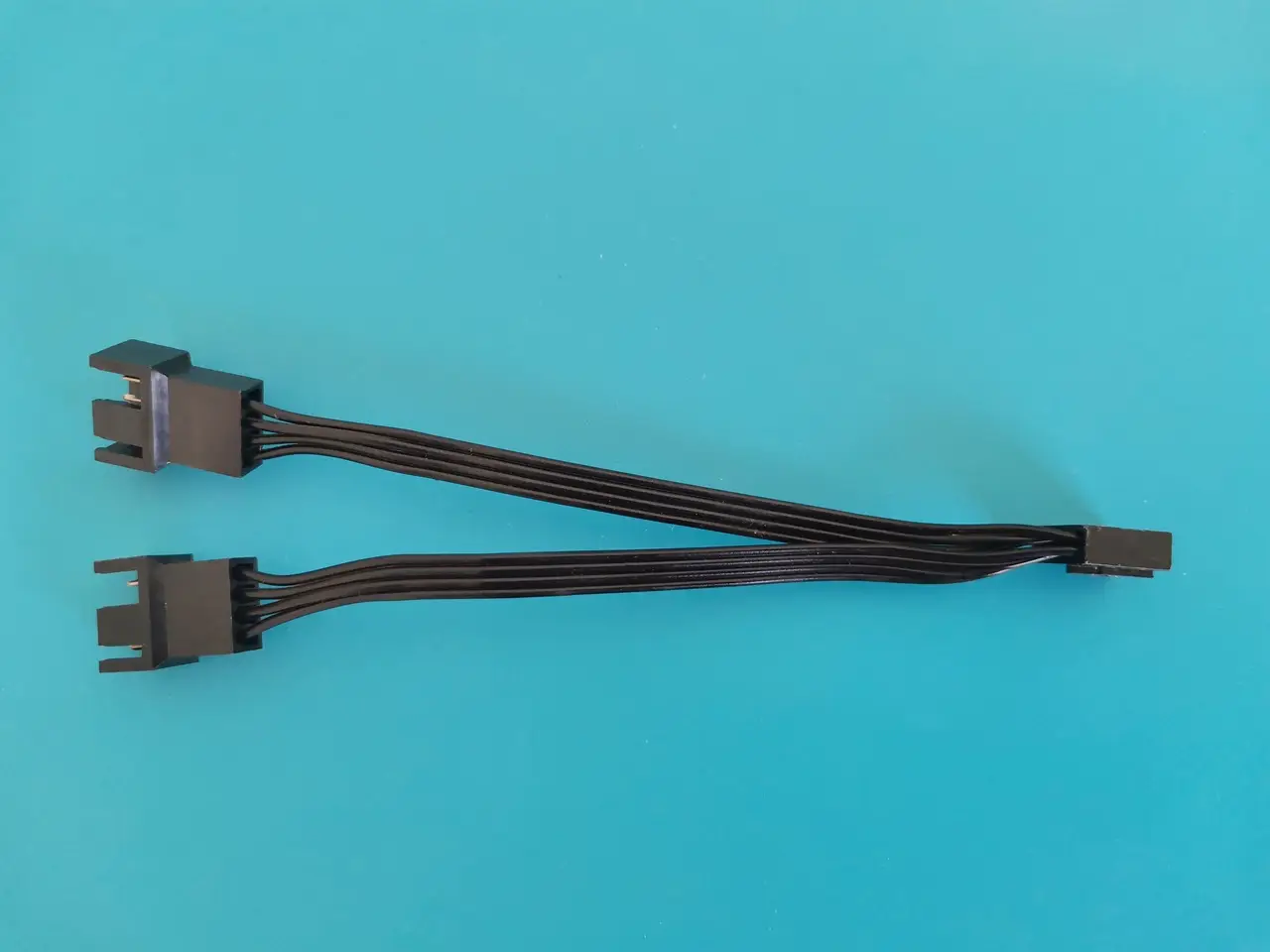
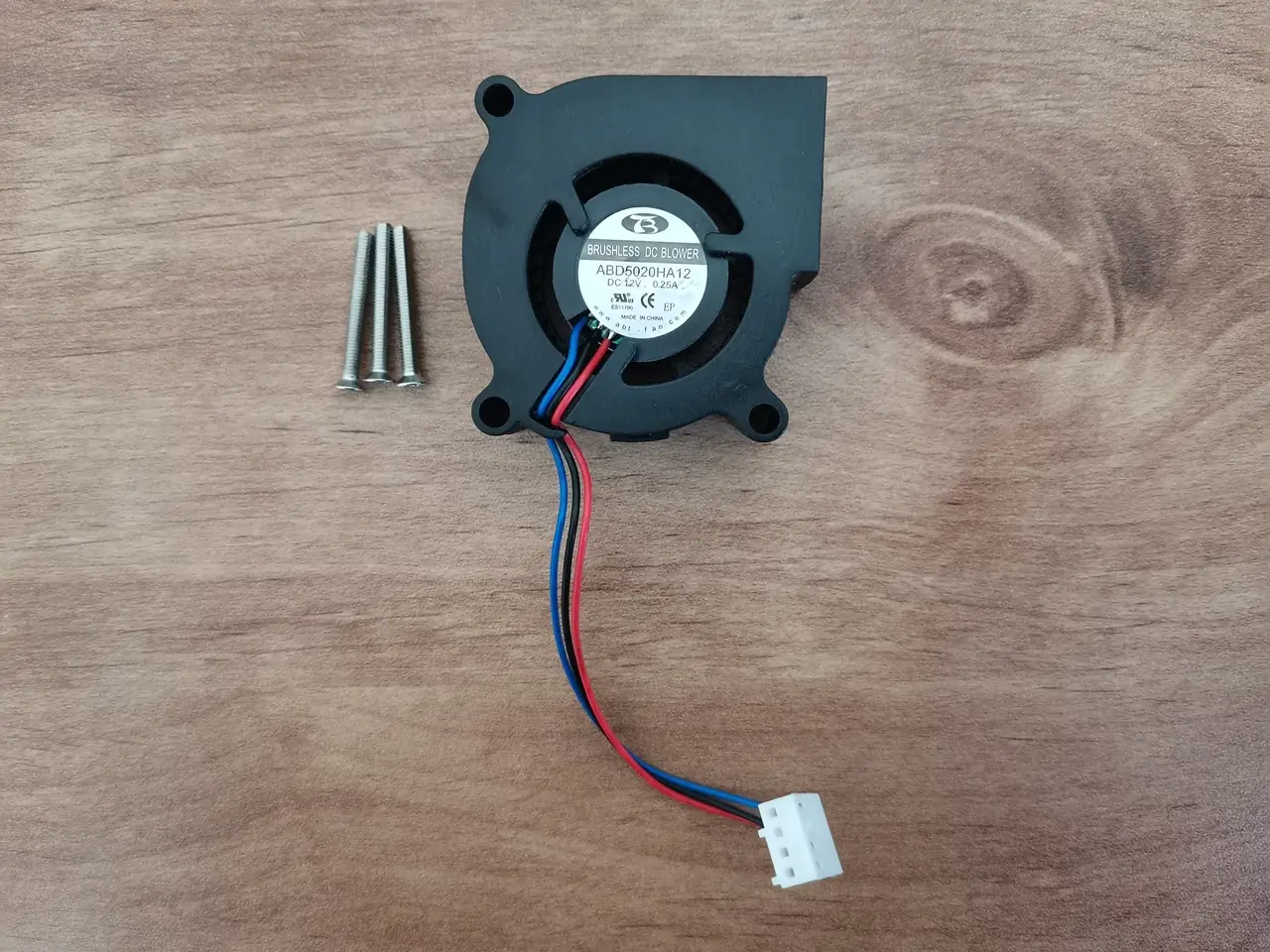
As another setup option, you can add a 5020-blower fan mounted at the bottom of the case to pull air in from the outside. Just keep in mind that to make this work, you’ll need to use only one side fan, since there are only onboard two fan sockets available in total. A simple workaround that might work well is using a Power cable splitter, so we also explored this option.

Installing a power Y-splitter to connect the left-side PWM fan and our blower fan.
BPI R4 Pro Blower Fan 1
BPI R4 Pro Blower Fan 3
BPI R4 Pro Blower Fan 2
BPI R4 Pro Blower Fan 4

Putting all parts together

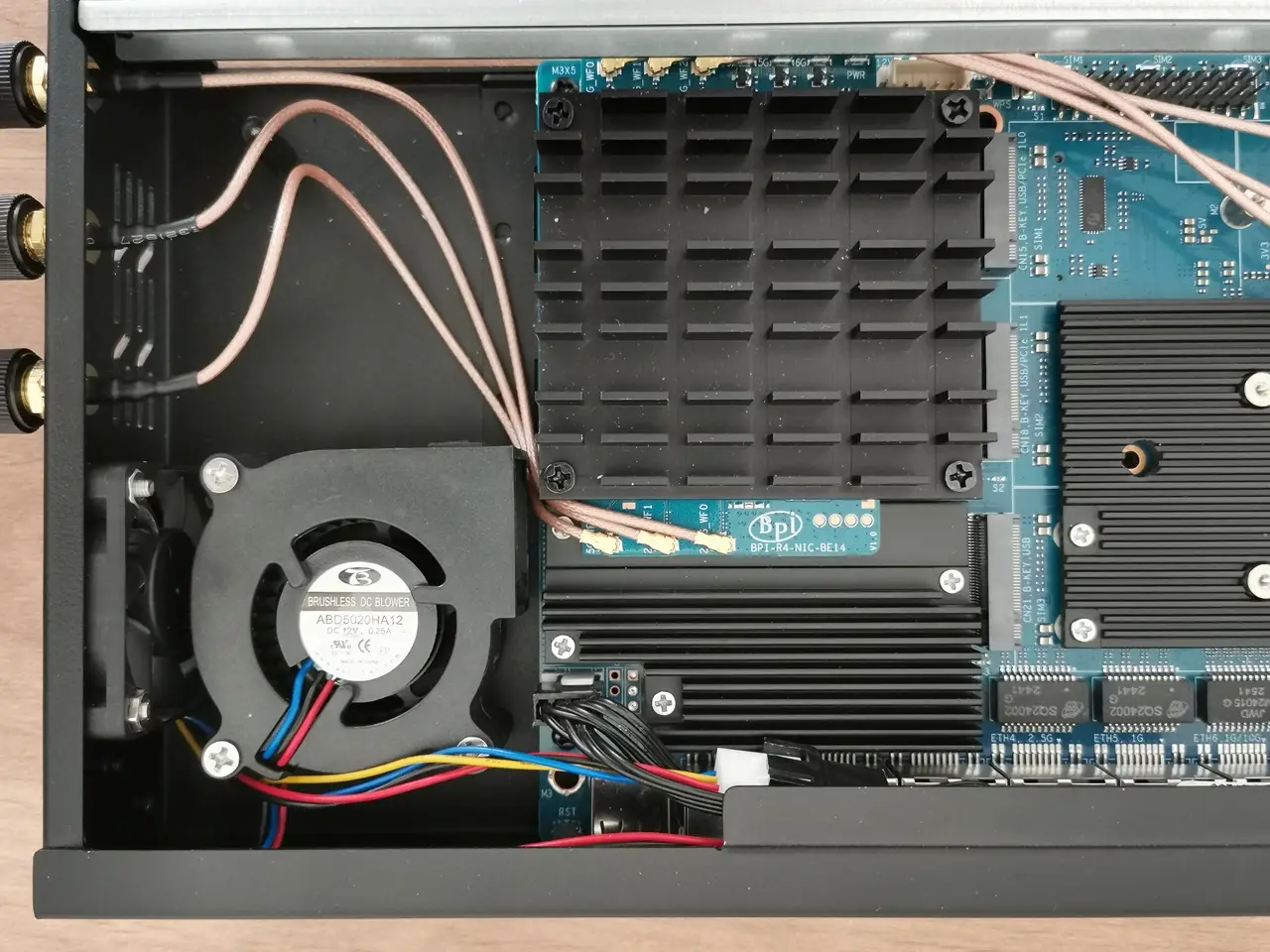
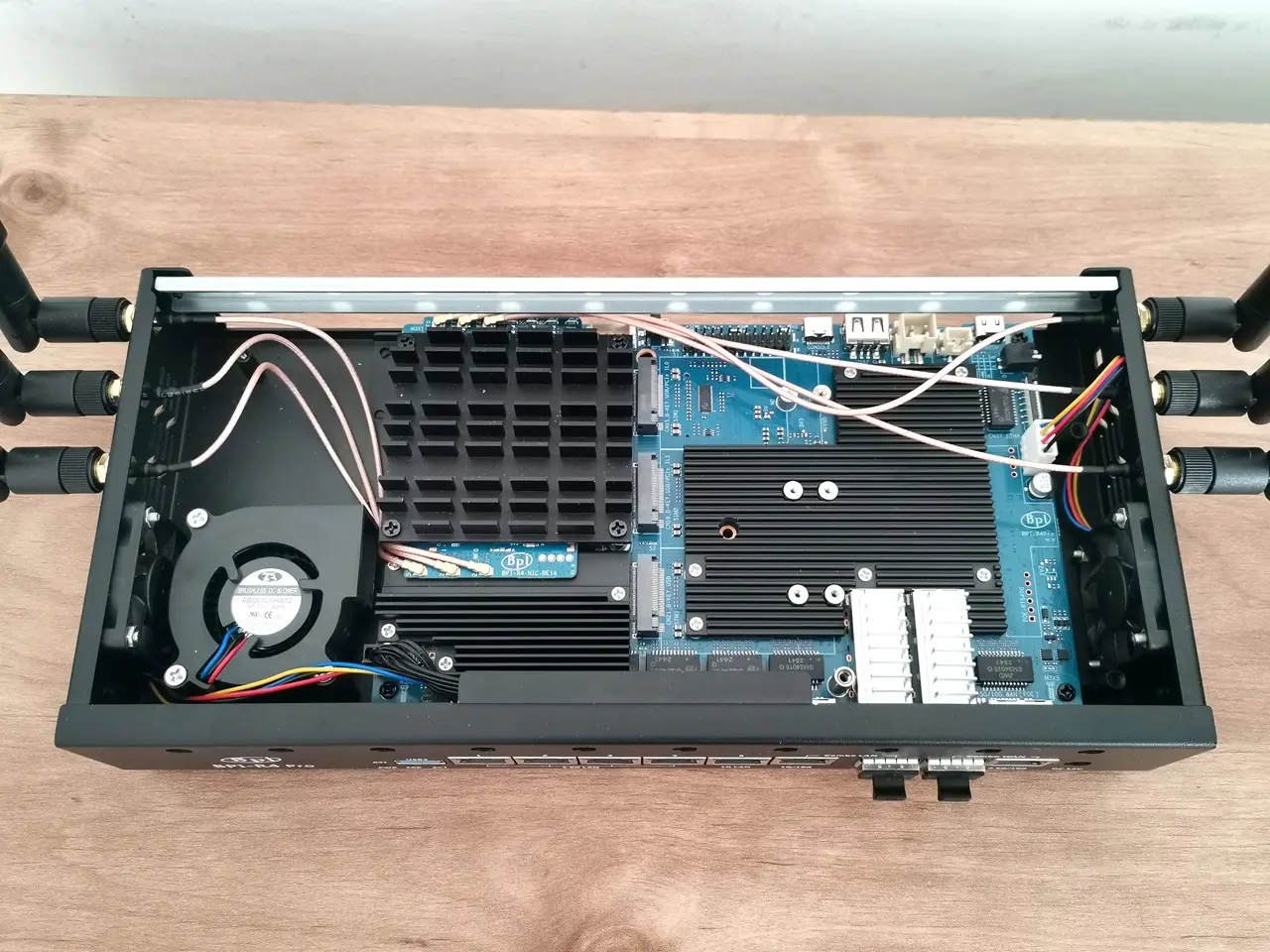
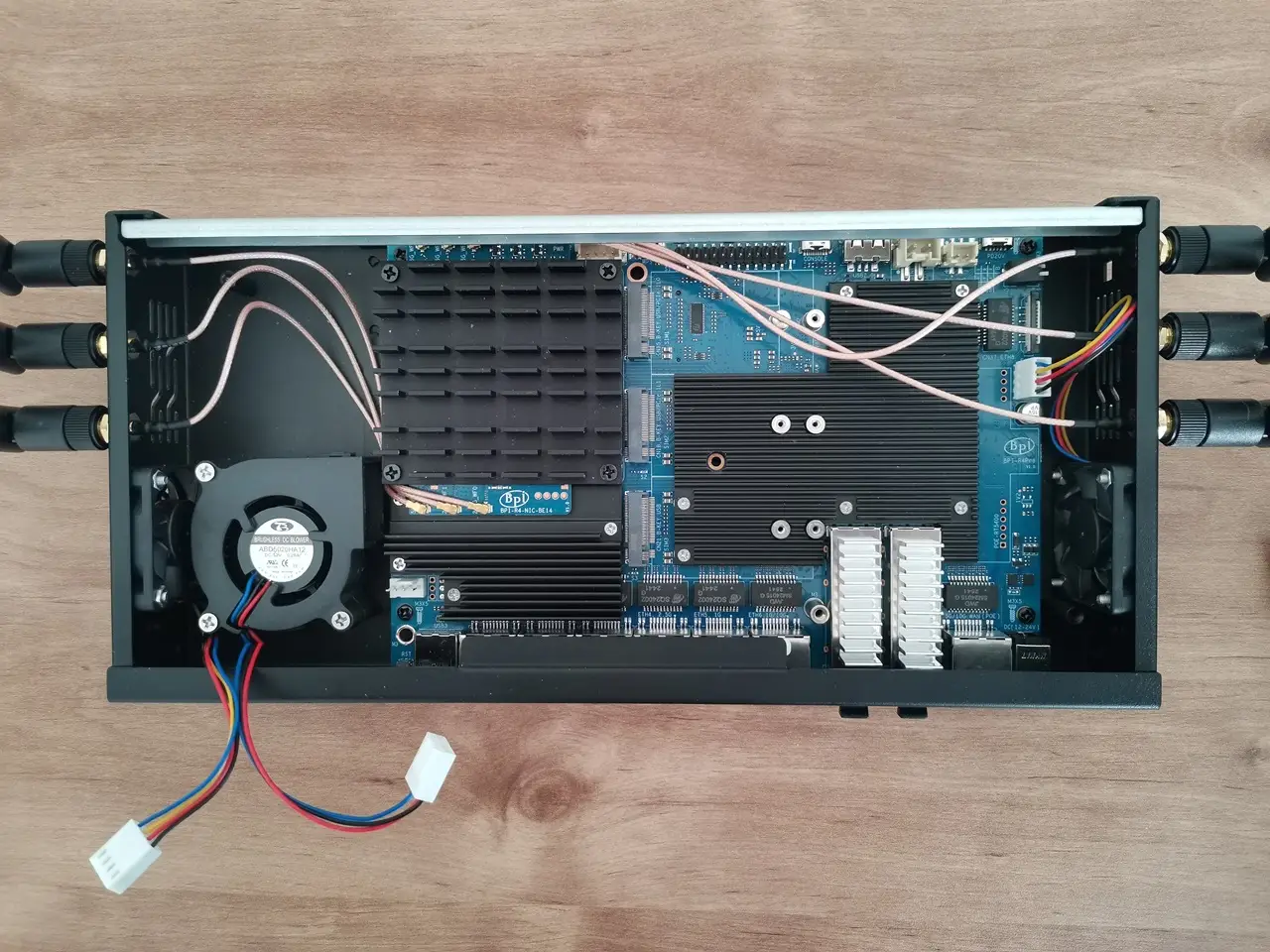
The installation was simple, and everything ran smoothly. We now have three fans in action: the left and right ones pushing hot air out of the case, and a third blower pulling cool air in through the bottom vent slots. In a different setup, you could connect the left and right fans to the same splitter—just choose whatever works best for you. Also, as shown in the photos below, the BE14 network interface card (NIC) wires might be a bit too close to the heatsink, so adding an insulation sleeve could be a simple and smart idea. It’s easy to install and might help avoid potential issues.
BPI Pi R4 Pro ASM Blower Fan 1
BPI Pi R4 Pro ASM Blower Fan 2
BPI Pi R4 Pro ASM Blower Fan 4
BPI Pi R4 Pro ASM Blower Fan 3
BPI Pi R4 Pro ASM Blower Fan 5
BPI Pi R4 Pro ASM Blower Fan 6

Installing the 4010 side fans

BPI R4Pro Side Fan 1
BPI R4Pro Side Fan 2
BPI R4Pro Side Fan 3

Do the fans make a lot of noise?

The answer is definitely no. Based on our test run, assembling all three fans inside the case and using the Banana Pi official snapshot image, the fans are pretty much silent.
1 2 3 4 5 6 7 8 9 10 11 12 13 14
Share. Facebook Twitter Pinterest LinkedIn Tumblr Email
Previous ArticleDFRobot ESP32-S3 LoRaWAN & Gateway Review: Build a Private IoT Network
Next Article SpacemiT K3 Pico-ITX Review: 60-TOPS RISC-V Powerhouse for LLMs?
androidpimp
  • Website

Related Posts

Orange Pi 6

Orange Pi 6 Debuts: Next-Gen 45 TOPS AI SBC Outpace Raspberry Pi HATs in Performance

June 26, 2026
Raspberry Pi Zero 3W SBC

Orange Pi Zero 3W Review: $25 Dual Video Pi Zero 2W Killer?

June 26, 2026
NeoEyes NE503 Edge AI Camera

CamThink NeoEyes NE503: A 20 TOPS 4k Edge AI Camera Platform Powerhouse

June 26, 2026
0 0 votes
Article Rating
Subscribe
Notify of
8 Comments
Oldest
Newest Most Voted
Miles
8 months ago

It is already on presale.

0
Reply
Author
androidpimp
8 months ago
Reply to  Miles

Yes, I know, thank you.

0
Reply
LP
8 months ago

Hi, the main problem about the BPI R4 is its BE14 Wifi NIC (6 antennas and many shielding/noise problems).
In your pictures, we can clearly see the new BE19 NIC with 14 antennas: did you test it? Is it going to be released to the public this year? Thank you!

0
Reply
Author
androidpimp
8 months ago
Reply to  LP

HI. Not yet, but from what Iโ€™ve heard, it should officially be released in a few weeks.

0
Reply
LP
8 months ago
Reply to  androidpimp

Thank you so much! Will you make a new post when the BE19 will be out? Did you have the R4 Pro for testing or these are just info from the company?

0
Reply
Author
androidpimp
8 months ago
Reply to  LP

Not yet, but Iโ€™ll probably test the R4 Pro and the Wi-Fi expansion board and review them once both are ready and available.
For now, it’s just general news info.

0
Reply
simonhayteruk
3 months ago

Great write up worth adding the battery is uses the ML1220 as you have correctly used instead of the CR1220 because the board features a tickle charge, but what’s more important to note, is that tickle is 3.3v to 3.4v, the ML1220s nominal is 3v, charged it’s around 3.35v, which is 0.35v higher than a CR1220. The BPI team lists the No 42 as CR1220 but it’s important to note thier POS is wrong. The other thing, you mention the battery keeps certain boot options, while this is true for a PCs, it’s untrue for the BPI, the only function… Read more »

0
Reply
Author
androidpimp
3 months ago
Reply to  simonhayteruk

Thank you for providing the information; it’s greatly appreciated.

0
Reply
PureVPN
PureVPN Ad Banner
VyprVPN – No. 1 in Anonymity
Vyprvpn 350x260
PrivadoVPN – No. 1 in Parental Control
PrivadoVPN 350x437
Recent Posts
  • Orange Pi 6 Debuts: Next-Gen 45 TOPS AI SBC Outpace Raspberry Pi HATs in Performance
  • Orange Pi Zero 3W Review: $25 Dual Video Pi Zero 2W Killer?
  • CamThink NeoEyes NE503: A 20 TOPS 4k Edge AI Camera Platform Powerhouse
  • AliExpress Promo Codes: June 2026 (100% Verified)
  • DFRobot 6.67″ Flexible AMOLED Review: Best Raspberry Pi & LattePanda Display?
  • Banana Pi BPI-SM10 Review: 60 TOPS RISC-V Jetson Orin Nano Alternative
  • SpacemiT K3 Pico-ITX Review: 60-TOPS RISC-V Powerhouse for LLMs?
  • Banana Pi BPI-R4 Pro Review: The Best WiFi 7 OpenWrt Router? We Checked!
  • DFRobot ESP32-S3 LoRaWAN & Gateway Review: Build a Private IoT Network
  • WaveNote AI Review 2026: An Honest Pro/Con Comparison (Tested)
RSS The Latest RSS Feeds
  • Orange Pi 6 Debuts: Next-Gen 45 TOPS AI SBC Outpace Raspberry Pi HATs in Performance
  • Orange Pi Zero 3W Review: $25 Dual Video Pi Zero 2W Killer?
  • CamThink NeoEyes NE503: A 20 TOPS 4k Edge AI Camera Platform Powerhouse
Facebook X (Twitter) Instagram Pinterest
@2026 - All Right Reserved. Designed by AndroidPIMP

Type above and press Enter to search. Press Esc to cancel.

Powered by
►
Necessary cookies enable essential site features like secure log-ins and consent preference adjustments. They do not store personal data.
None
►
Functional cookies support features like content sharing on social media, collecting feedback, and enabling third-party tools.
None
►
Analytical cookies track visitor interactions, providing insights on metrics like visitor count, bounce rate, and traffic sources.
None
►
Advertisement cookies deliver personalized ads based on your previous visits and analyze the effectiveness of ad campaigns.
None
►
Unclassified cookies are cookies that we are in the process of classifying, together with the providers of individual cookies.
None
Powered by
wpDiscuz