Close Menu
  • Home
  • About
  • Wearables
  • Earbuds
  • Computer Accessories
    • Routers
    • Remotes
  • Embedded
    • Single Board Computers
    • Addon Boards
    • Raspberry Pi
  • Wireless Routers
  • Contact
Facebook X (Twitter) Instagram Threads
Trending
  • DFRobot 6.67″ Flexible AMOLED Review: Curved Display for Raspberry Pi & LattePanda
  • Orange Pi Zero 3W Review: $25 Dual Video Pi Zero 2W Killer?
  • Banana Pi BPI-SM10 Review: 60 TOPS RISC-V Jetson Orin Nano Alternative
  • SpacemiT K3 Pico-ITX Review: 60-TOPS RISC-V Powerhouse for LLMs?
  • Banana Pi BPI-R4 Pro Review: The Best WiFi 7 OpenWrt Router? We Checked!
  • DFRobot ESP32-S3 LoRaWAN & Gateway Review: Build a Private IoT Network
  • Top Global AliExpress Promo Worldwide Country Codes June 9, 2026
  • WaveNote AI Review 2026: An Honest Pro/Con Comparison (Tested)
AndroidPIMP
Facebook X (Twitter) Instagram
  • Home
  • About
  • Wearables
  • Earbuds
  • Computer Accessories
    • Routers
    • Remotes
  • Embedded
    • Single Board Computers
    • Addon Boards
    • Raspberry Pi
  • Wireless Routers
  • Contact
AndroidPIMP

SpacemiT K3 Pico-ITX Review: 60-TOPS RISC-V Powerhouse for LLMs?

0
By androidpimp on June 2, 2026 Embedded Computers
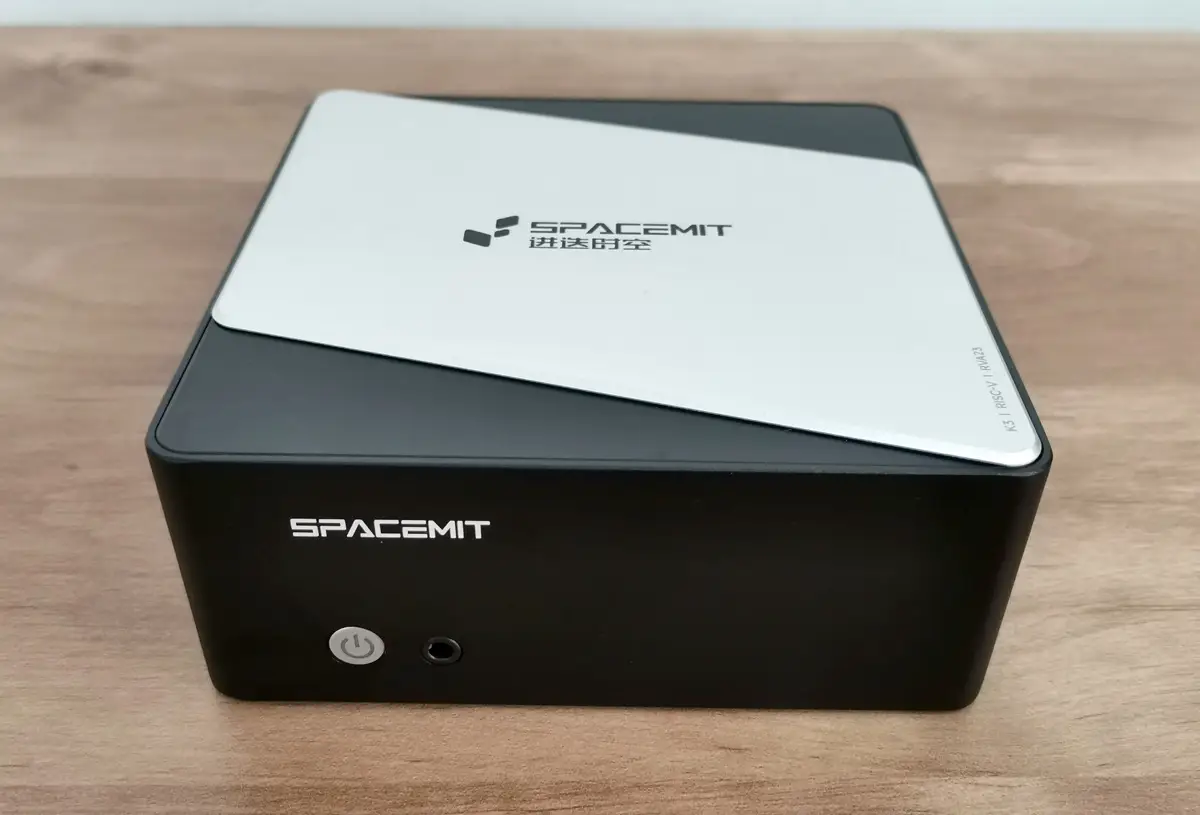
SpacemiT K3 Pico ITX
Table of contents
  1. Part I: An Introduction to the SpacemiT K3 RISC-V Series Boards
  2. Why โ€œcapable of running 30B parameter LLMsโ€ is a big deal?
  3. 1๏ธโƒฃSpacemiTย K3ย high-performanceย RISC-Vย processorย 
    1. The K3 is a cutting-edge, high-performance RISC-V CPU built for advanced AI applications.
    2. Target market
    3. Main Highlights
  4. Completely compliant with the RVA23 profile.
    1. What is RVA23 and why is it important?
    2. Whatโ€™s inside RVA23?
  5. Why developers care?
    1. In one sentence
  6. Hereโ€™s a closer look at the full range of capabilities offered by the SpacemiT K3:
  7. 2๏ธโƒฃK3 Pico-ITX single board computer (Also known as Milk-V Jupiter 2)
  8. Specifications
  9. 3๏ธโƒฃSpacemiT K3-CoM260 Developer Kit
    1. A Full-Stack RISC-V Robotics Development Kit
  10. Key Features
  11. Extensive software compatibility
    1. OS compatibility now includes Ubuntu 26.04 with support for RISC-V architecture.
    2. Official mainline Ubuntu support.
  12. Extra support through official partner channels
    1. What about official OpenWrt mainline support?
  13. Supporting the Spine Triton kernel development system
    1. Why does SpacemiT care about Triton?
  14. Hardware designed to work with AI agents
  15. Platforms that are already compatible with the K3 architecture.
  16. RISC V AI Accelerationย in 2026: How SpacemiT K3 Challenges Jetson at the Edge
    1. SpacemiT K3 vs NVIDIA Jetson Series โ€“ Performance Comparison
  17. Part II: SpacemiT K3 Pico-ITX Review
    1. The Package
  18. Package Contents (Unboxing)
  19. Design-wise
  20. Storage Space โ€“ What You Need to Know!
  21. How much internal storage comes with the 16GB RAM model?
    1. โญย 128โ€ฏGB total capacity!
    2. How much space do we have available, and how much is left to use?
  22. How to install an NVMe SSD
    1. Checking for drives and partitions
    2. Performance benchmarks
    3. What do p80, p90, p95, and p99 latency mean?
    4. Test Results In plain language:
  23. Checking temperatures
  24. Software Support
    1. How do I flash the firmware to set up a new operating system?
    2. Pre-installed software
  25. Available usable RAM
    1. Compatibility with Tailscale
      1. Step 1: Installing Tailscaleย for a riscv64 architecture environment
      2. Step 2: Enabling and starting the Tailscale service
      3. Step 3: Checking that itโ€™s running
      4. Step 4: Authenticating our device
  26. Better and more cost-effective?
    1. Chinese companies are great at keeping costs low, but is their hardware actually better than Nvidiaโ€™s?
  27. Architecture: Heterogeneous vs. Homogeneous Fusion
    1. Nvidia design philosophy
    2. SpacemiT K3ย design philosophy
    3. Conclusion: Better is Relative
      1. Is the hardware actually better?
  28. System performance benchmarks
    1. Key takeaways
    2. Key Takeaways
  29. Running the official llama.cpp benchmark tool (llama-bench)
    1. Running our test
    2. Our test script
    3. Why did we pick this model?
    4. LLaMA-3 8B Q4_K_M โ€” Spacemit K3 vs Mac mini (16โ€ฏGB RAM) + Estimated Prices (USD)
    5. Final Conclusions:
      1. What do the results mean?
    6. What kinds of AI language models can operate on this device?
      1. What does this mean from a userโ€™s standpoint?
    7. Unified LLM Compatibility Table (16GB RAM Pico ITX)
  30. Connectivity
    1. Wireless connectivity
    2. How is the performance?
    3. What about support for cellular modems?
  31. Setting up our 10Gb RJ45 SFP+ module
    1. iPerf3 network throughput Speed Test
    2. โญQuick Takeaways from our test results
      1. The bottom line
    3. We also took a look at the CPU usage of the K3 Pico-ITX.
      1. Key Observations from the Metrics:
    4. Improving performance by optimizing operating system governors
  32. Power requirements
  33. Usable Interfaces
  34. Final verdict
    1. Price wise
    2. Places to buy
    3. SPACEMIT K3 Pico-ITX RISC-V Development Board

Software Support

How do I flash the firmware to set up a new operating system?

For that, you’ll need to use the USB-C (OTG) port located on the back of the device. Here are all the steps required to flash the OS on a Windows system.

StepActionDetails / CommandsPurpose
1Download toolchainGet the official Windows fastboot/USB drivers + flashing toolsRequired to communicate with the K3 board
2Install USB driversInstall Google USB Driver or SpacemiT provided driverEnsures Windows detects the board
3Download OS image.img file (Ubuntu, Debian, Yocto, etc.)The OS you will flash
4Connect USBC OTGUse the USB-C port labeled OTG/DownloadThis is the flashing port
5Enter bootloader modeHold BOOT button → power on → release after 2sPuts device into flashready mode
6Verify connectionRun: fastboot devicesConfirms Windows sees the board
7Flash bootloaderfastboot flash bootloader bootloader.binUpdates the lowlevel loader
8Flash system imagefastboot flash system spacemit_os.imgWrites the OS to internal storage
9Flash vendor partitionfastboot flash vendor vendor.imgRequired for drivers & hardware support
10Flash userdatafastboot flash userdata userdata.imgEnsures clean first boot
11Reboot devicefastboot rebootStarts the OS for the first time
12Verify first bootCheck HDMI output or UART consoleConfirms OS is running correctly

Pre-installed software

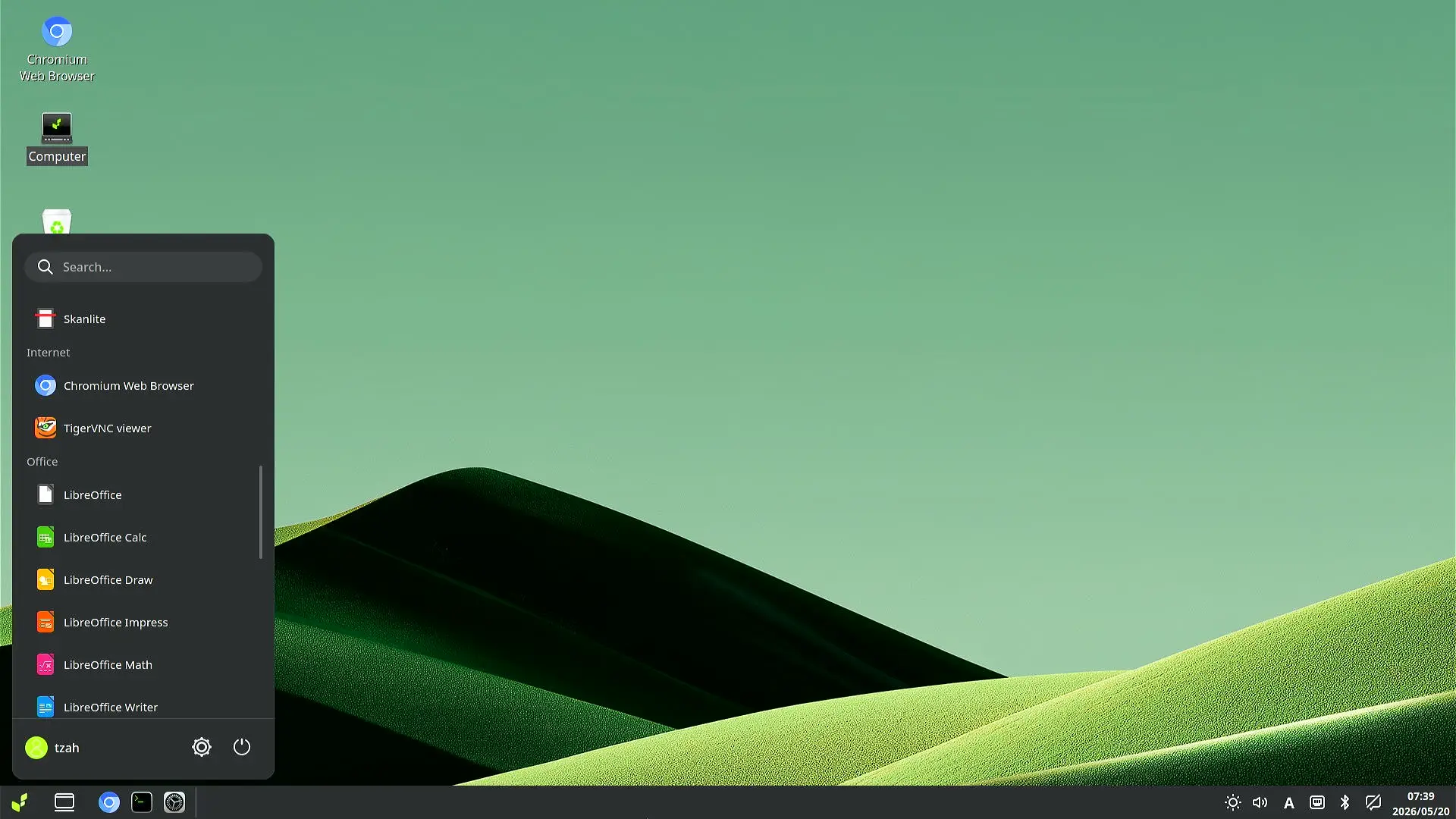
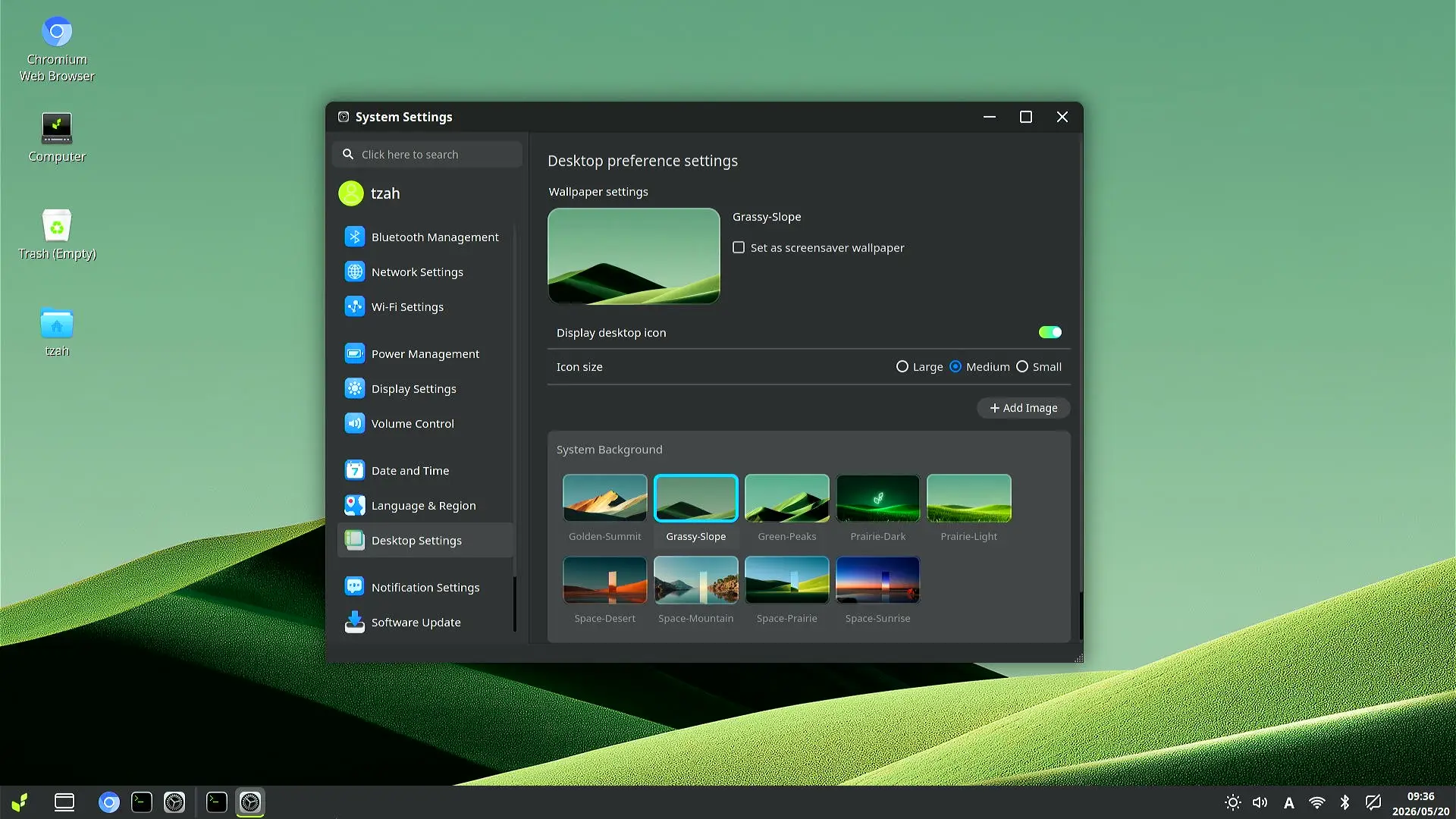
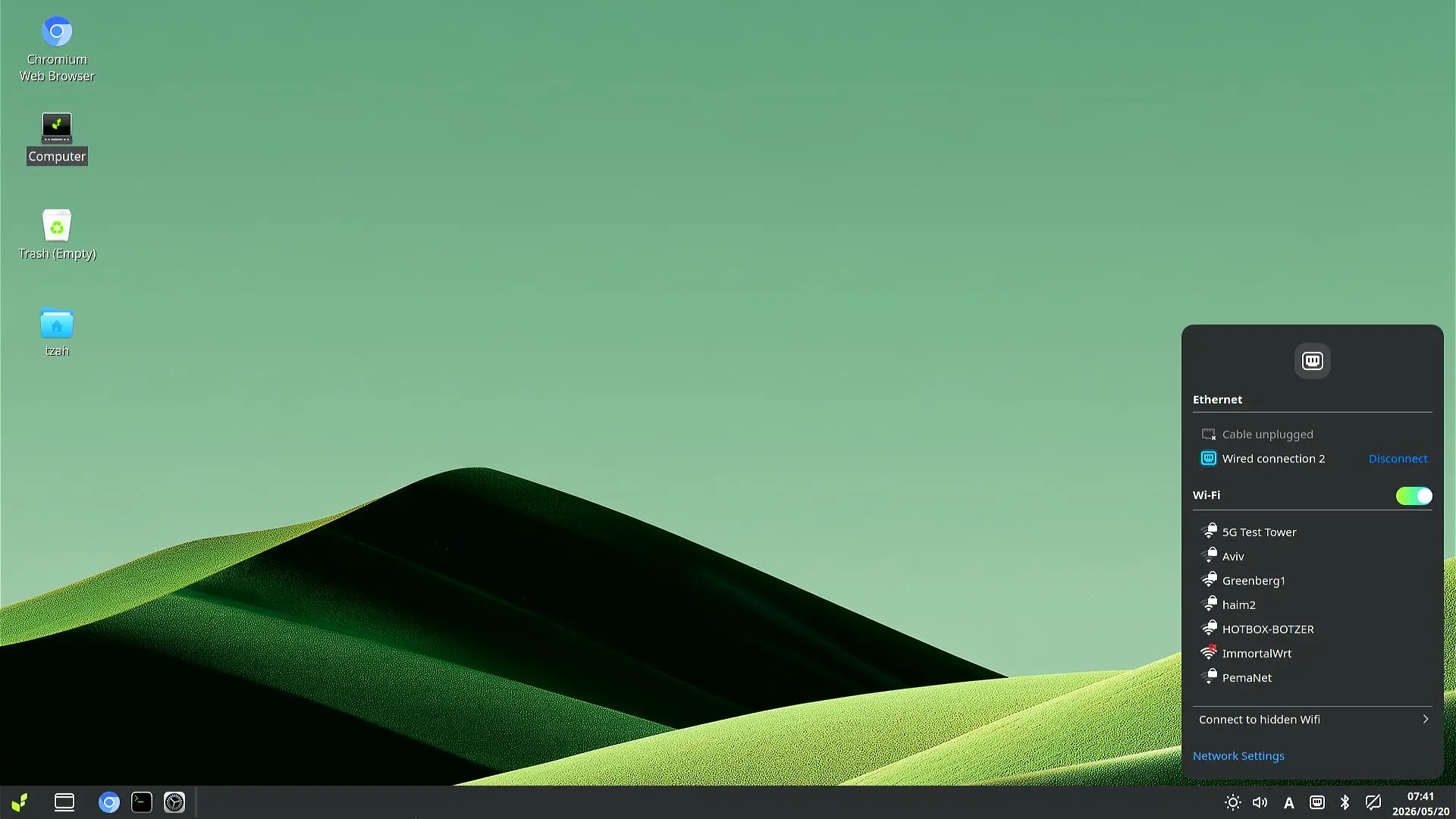
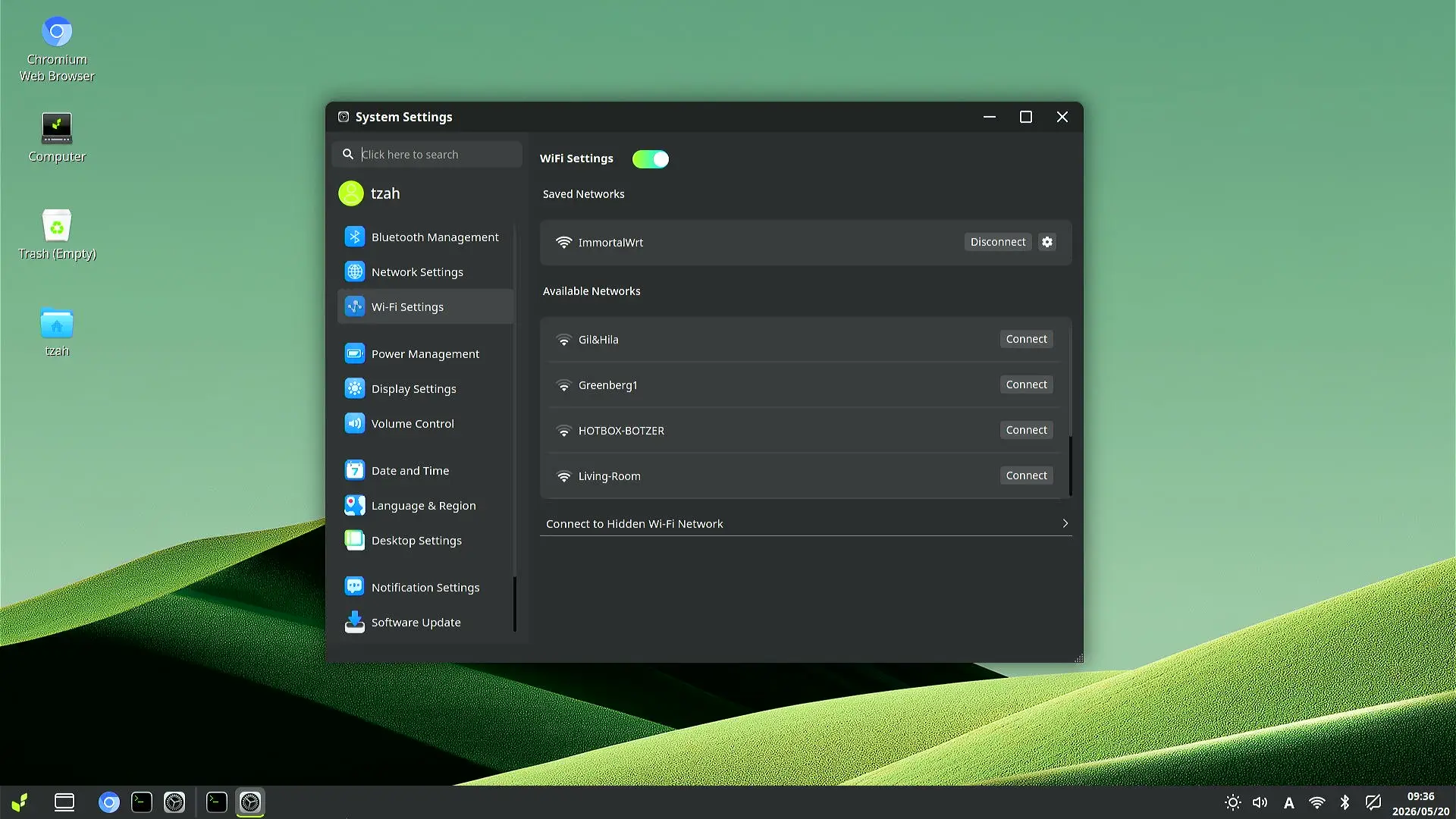
Our device came pre-installed with Bianbu OS V4.0 running under the LXQt desktop environment, a Linux-based operating system optimized for RISC-V and developed by SpacemiT. It’s available in both Desktop and NAS versions for different needs. Overall, our desktop experience was smooth, with no noticeable lag.

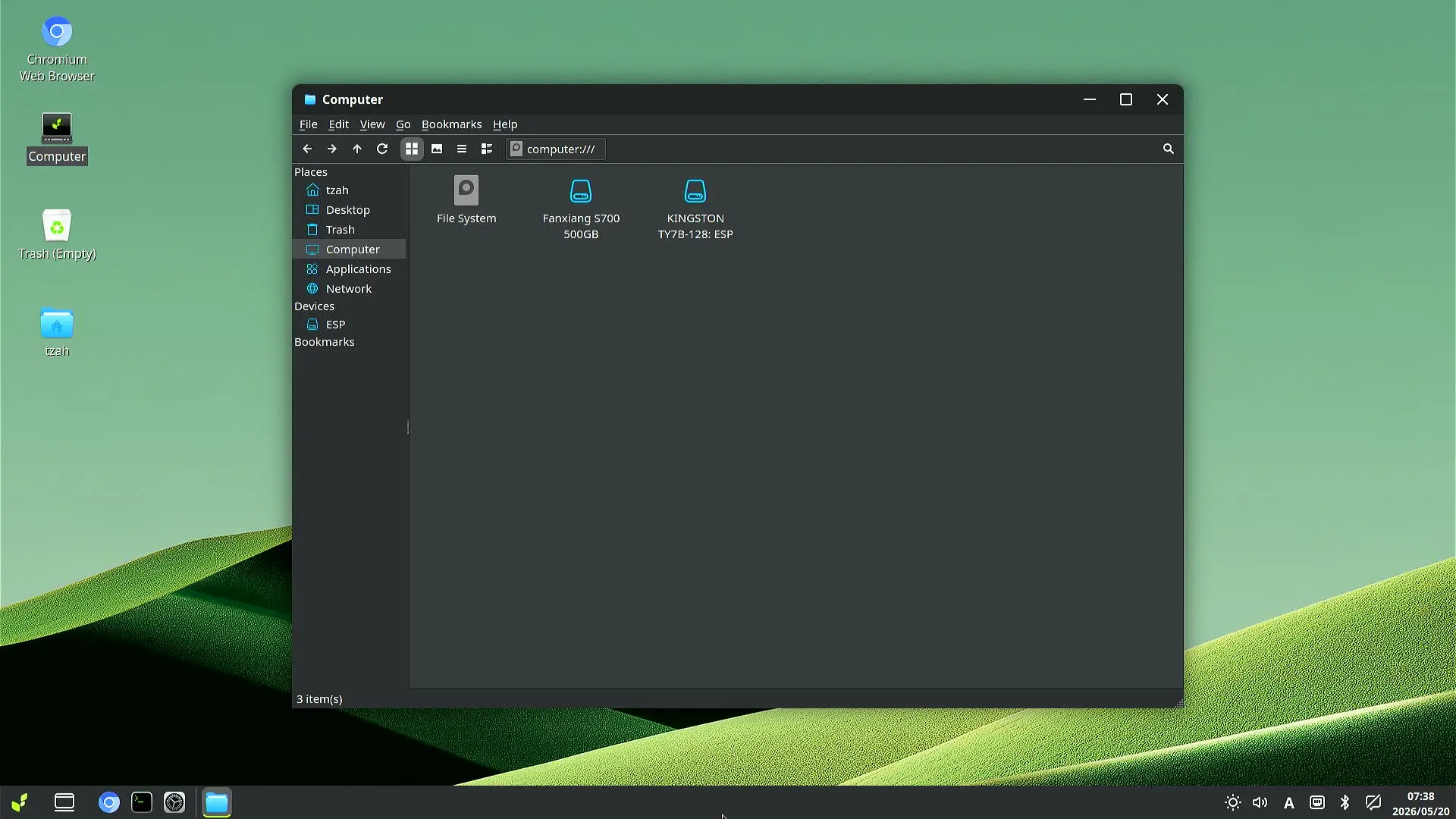
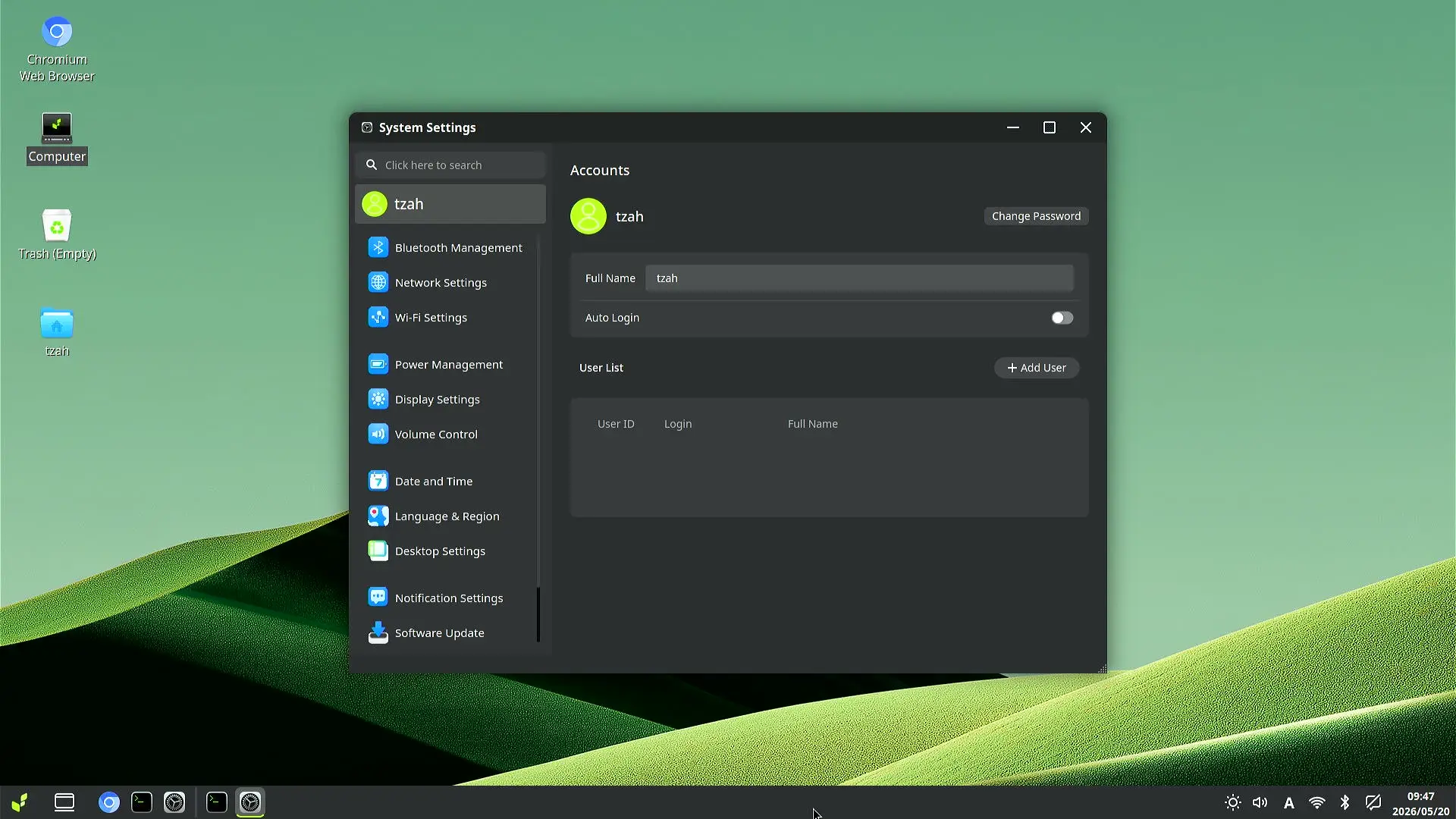
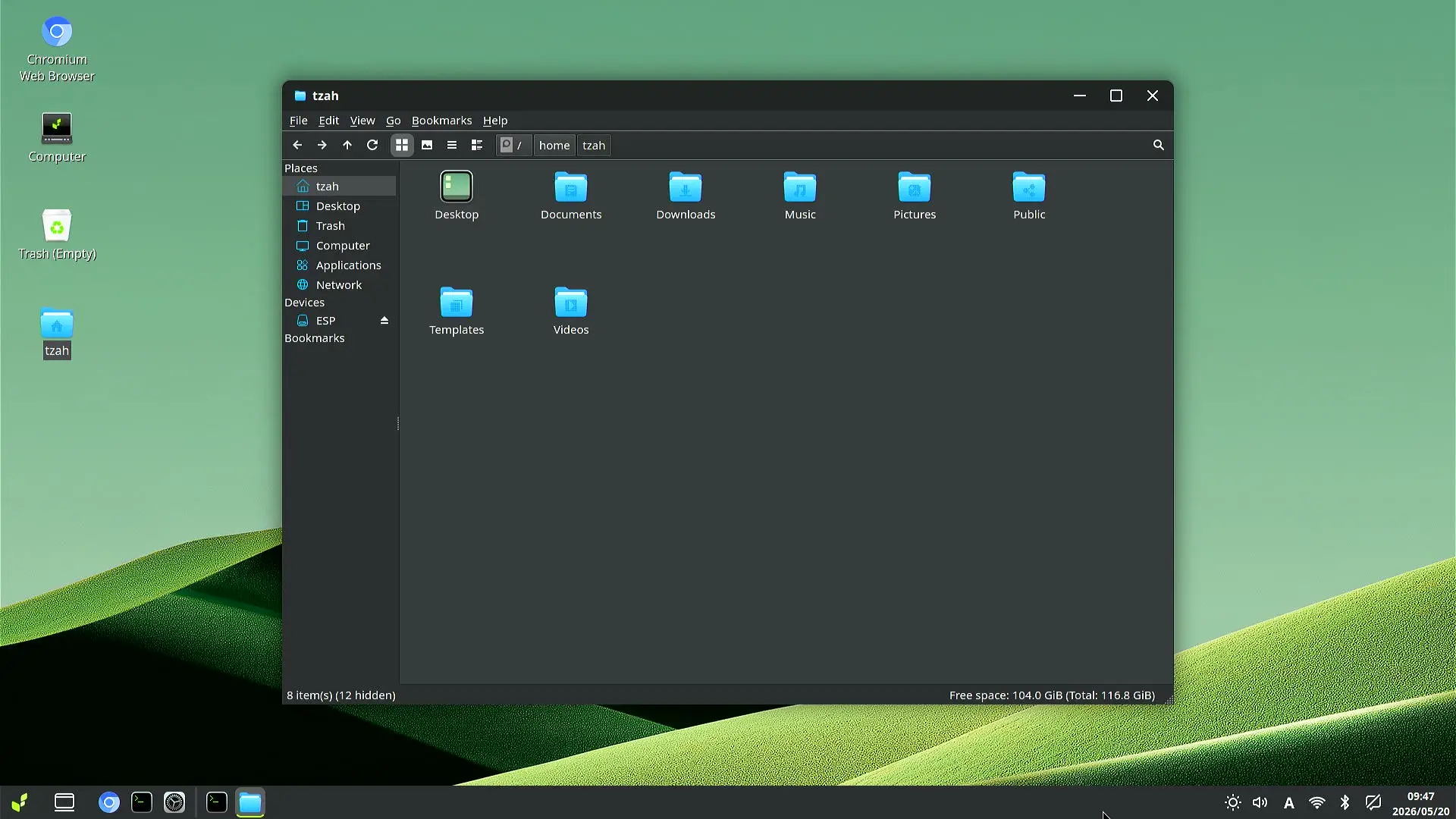
Bianbu OS (Screenshots)
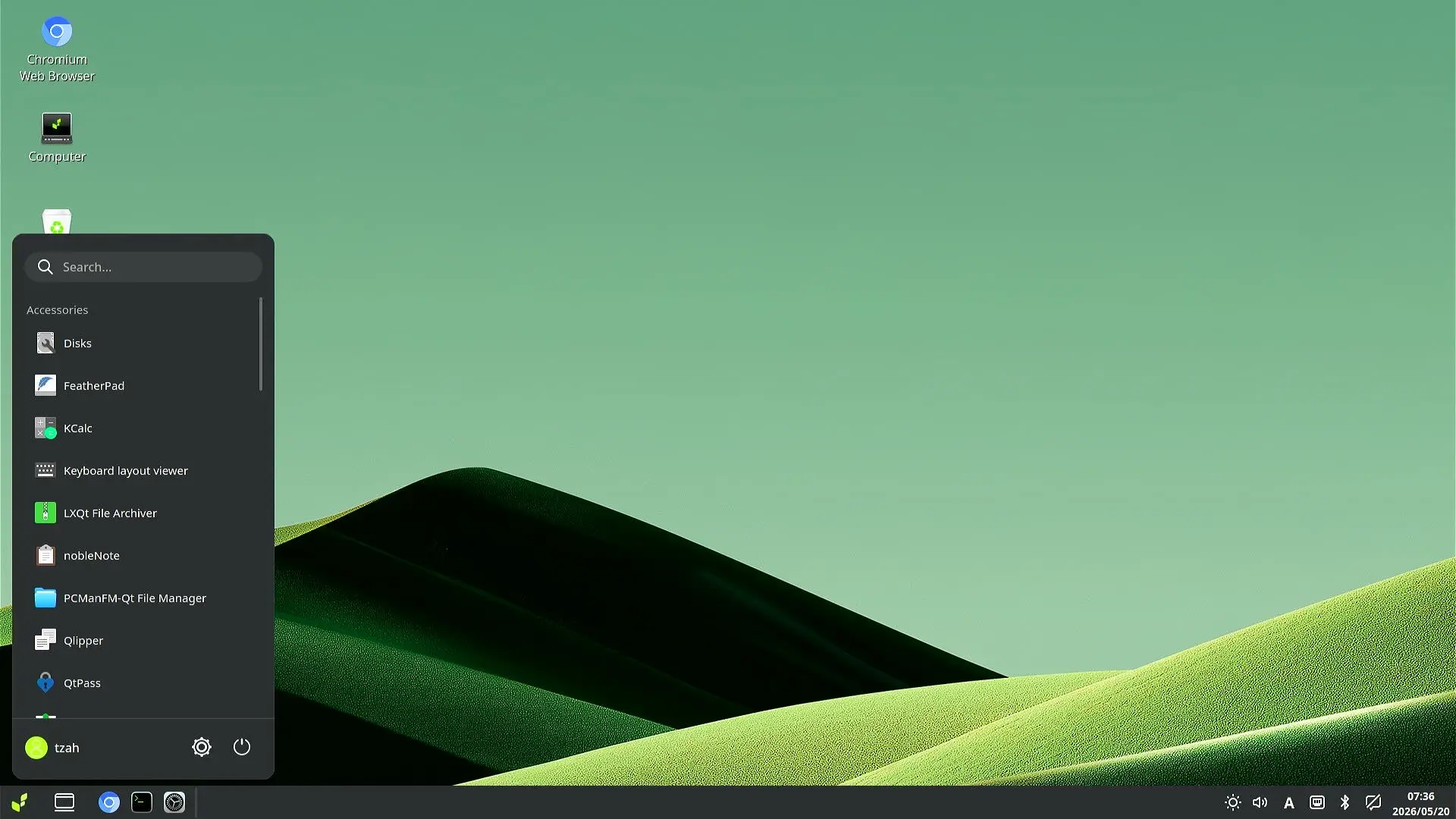
K3 Pico ITX Bianbu 1
K3 Pico ITX Bianbu 2
K3 Pico ITX Bianbu 3
K3 Pico ITX Bianbu 4
K3 Pico ITX Bianbu 5
K3 Pico ITX Bianbu 6
K3 Pico ITX Bianbu 7
K3 Pico ITX Bianbu 8

Available usable RAM

The unit we received came with 16GB of RAM, and without any extra services running in the background, you’ll have about 1.5GB of free usable RAM when using Bianbu OS. With a different OS, this figure will likely change, but overall, Bianbu is a very lightweight distro that doesn’t consume a lot of memory.

tzah@home-spacemit:~$ free -m
               total        used        free      shared  buff/cache   available
Mem:           15971         959       14467          52         710       15012
FieldMeaningValue
TotalTotal physical RAM15971 MB (~16 GB)
UsedActively used by processes959 MB
FreeCompletely unused14467 MB
Sharedtmpfs/shared memory52 MB
BuffersKernel buffers710 MB
AvailableEstimated available for apps15012 MB
Swap TotalSwap space configured0 MB
Swap UsedSwap currently used0 MB

Compatibility with Tailscale

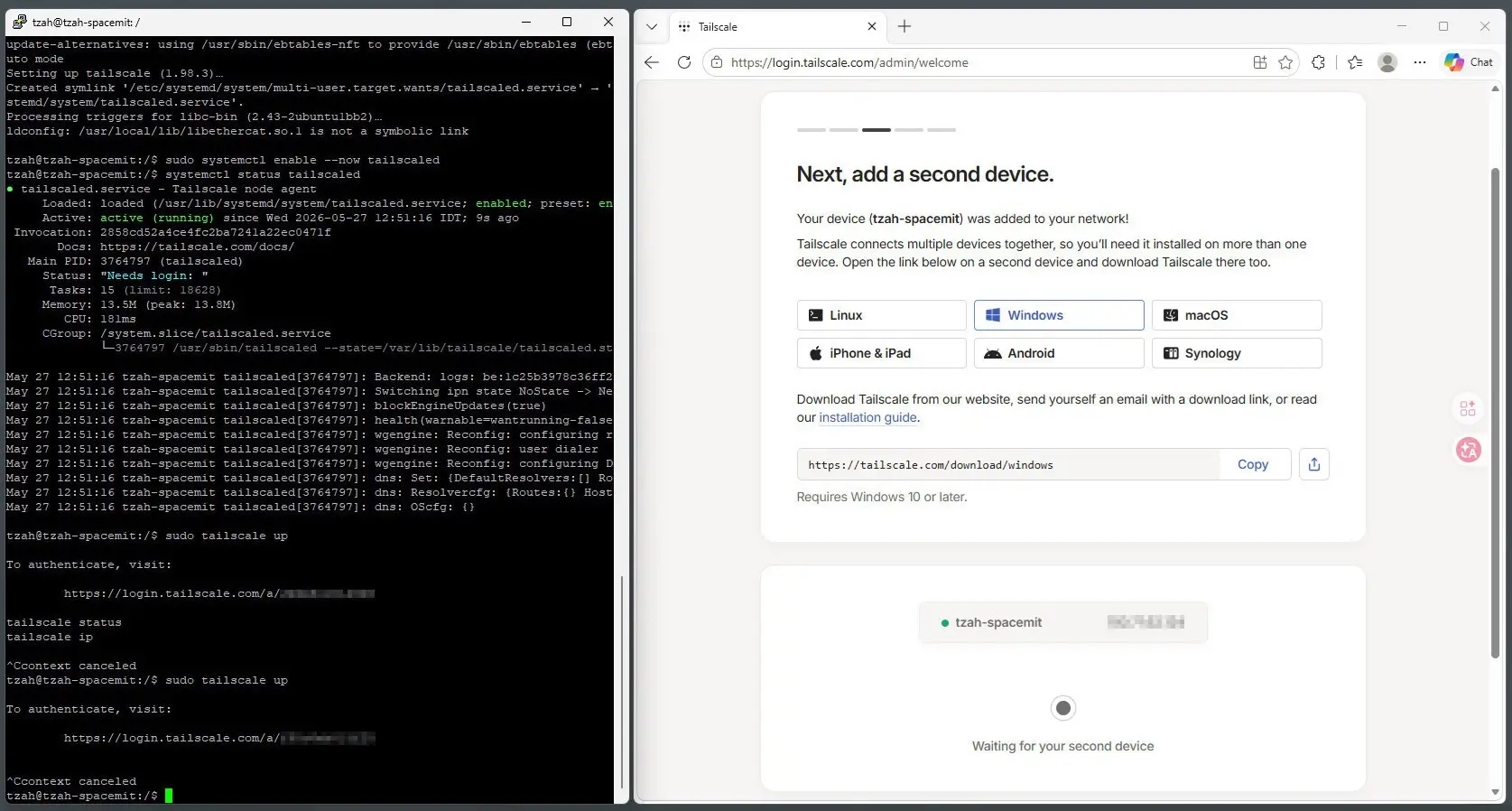
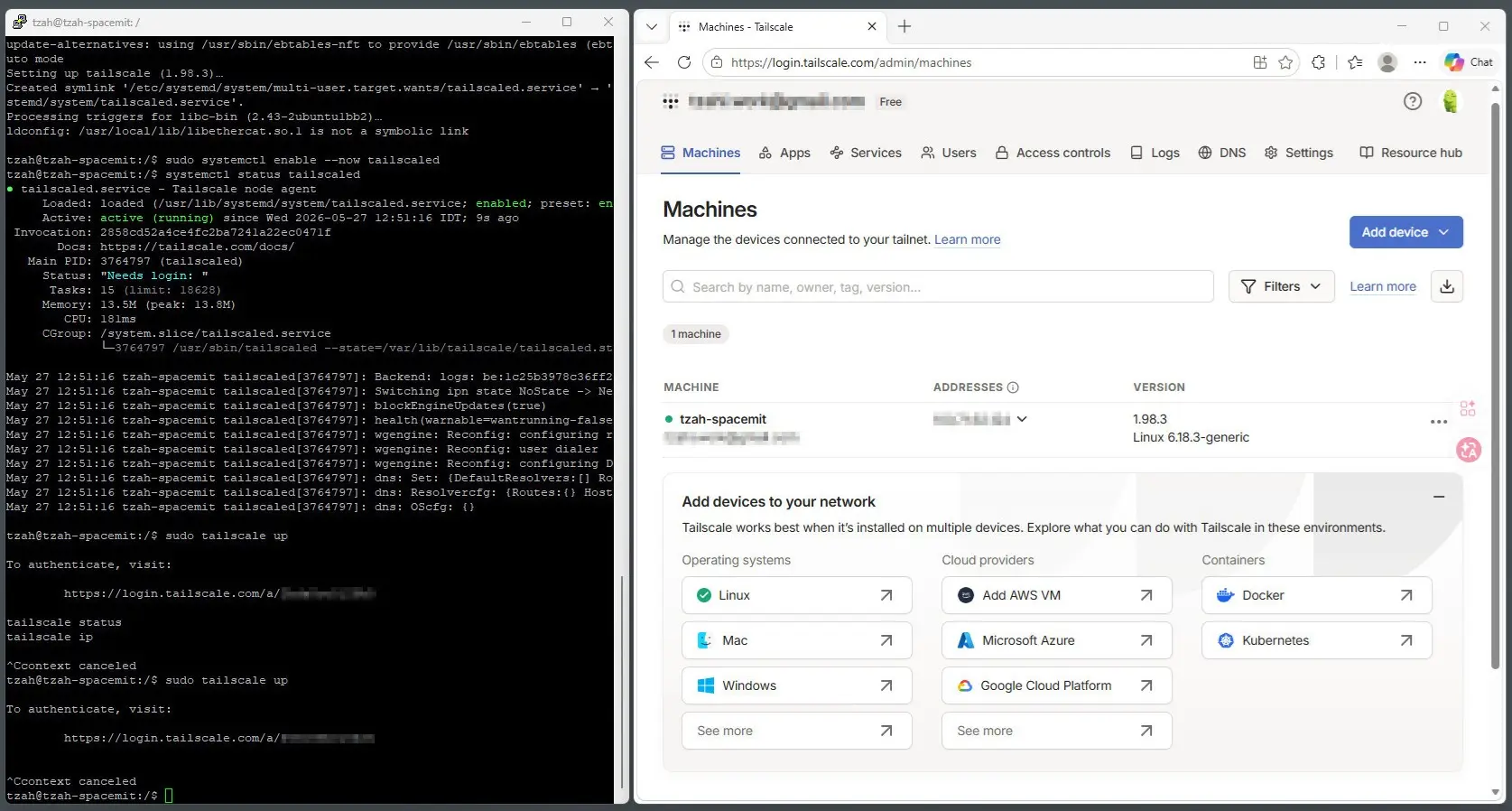
For those unfamiliar, Tailscale is a simple, identity based mesh VPN that uses the WireGuard protocol to securely connect your devices. It sets up a private network so laptops, servers, phones, and cloud instances can talk to each other as if they were on the same LAN—without the hassle of configuring ports or firewalls. In our testing, it’s also RISC V compatible and works smoothly on the K3 Pico ITX mini PC. With that in mind, here are the steps to install the service:

Step 1: Installing Tailscale for a riscv64 architecture environment

curl -fsSL https://pkgs.tailscale.com/stable/debian/bookworm.noarmor.gpg | sudo tee /usr/share/keyrings/tailscale-archive-keyring.gpg >/dev/null

curl -fsSL https://pkgs.tailscale.com/stable/debian/bookworm.tailscale-keyring.list | \
  sudo tee /etc/apt/sources.list.d/tailscale.list

sudo apt update
sudo apt install tailscale

Step 2: Enabling and starting the Tailscale service

sudo systemctl enable --now tailscaled

Step 3: Checking that it’s running

sudo systemctl enable --now tailscaled

Step 4: Authenticating our device

systemctl status tailscaled

This will give you a login URL. Open it on any device, approve it, and your K3 will join your Tailnet network.

Installing & Running Tailscale (Screenshots)
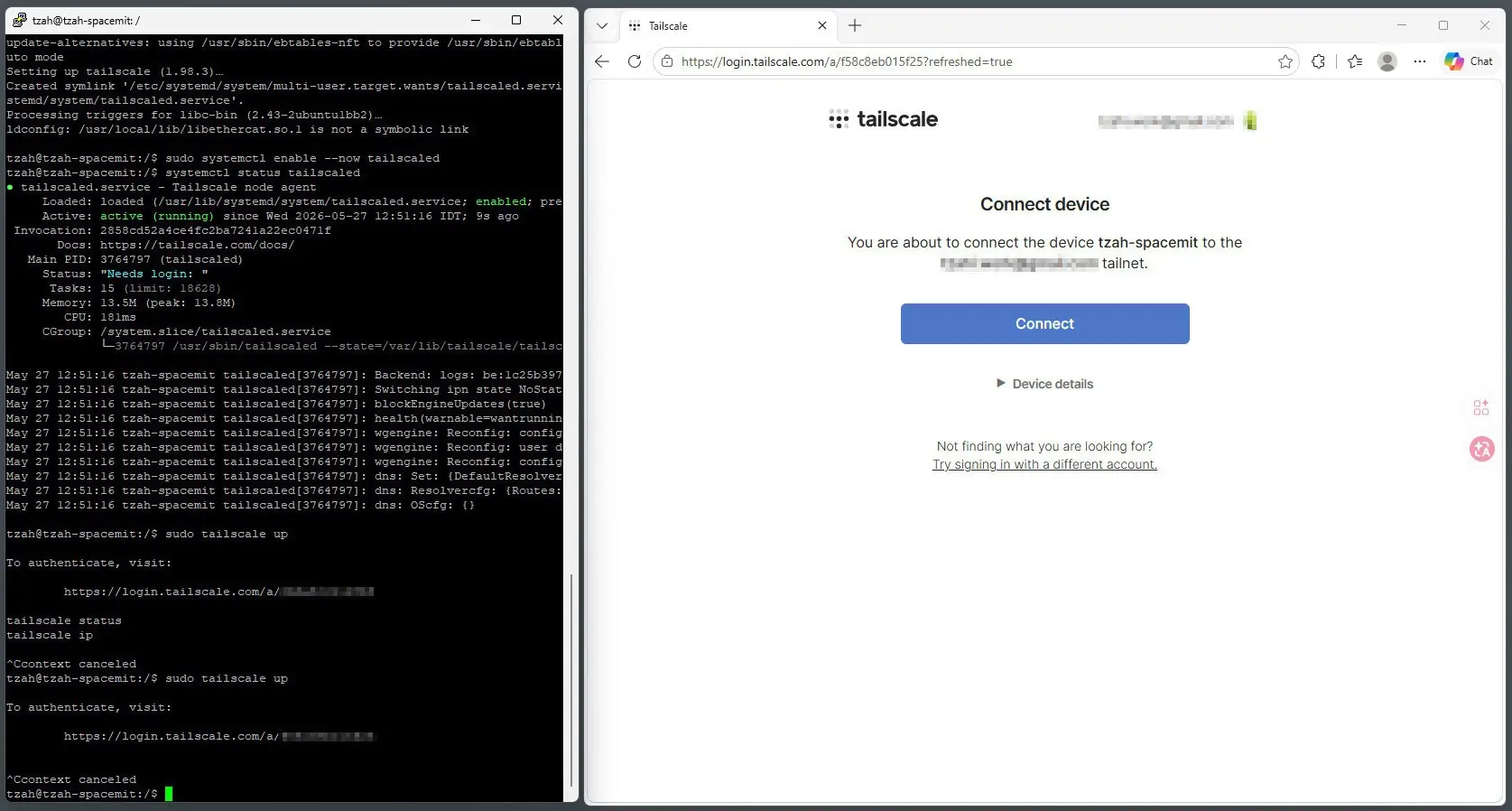
K3 Pico ITX Install Tailscale 1
K3 Pico ITX Install Tailscale 2
K3 Pico ITX Install Tailscale 3
1 2 3 4 5 6 7 8 9 10 11 12 13
Share. Facebook Twitter Pinterest LinkedIn Tumblr Email
Previous ArticleBanana Pi BPI-R4 Pro Review: The Best WiFi 7 OpenWrt Router? We Checked!
Next Article Banana Pi BPI-SM10 Review: 60 TOPS RISC-V Jetson Orin Nano Alternative
androidpimp
  • Website

Related Posts

DFRobot Flexible AMOLED Display

DFRobot 6.67″ Flexible AMOLED Review: Curved Display for Raspberry Pi & LattePanda

June 8, 2026
Raspberry Pi Zero 3W SBC

Orange Pi Zero 3W Review: $25 Dual Video Pi Zero 2W Killer?

June 4, 2026
Banana Pi SM10 Kit

Banana Pi BPI-SM10 Review: 60 TOPS RISC-V Jetson Orin Nano Alternative

June 3, 2026
0 0 votes
Article Rating
Subscribe
Notify of
0 Comments
Oldest
Newest Most Voted
PureVPN
PureVPN Ad Banner
VyprVPN – No. 1 in Anonymity
Vyprvpn 350x260
PrivadoVPN – No. 1 in Parental Control
PrivadoVPN 350x437
Recent Posts
  • DFRobot 6.67″ Flexible AMOLED Review: Curved Display for Raspberry Pi & LattePanda
  • Orange Pi Zero 3W Review: $25 Dual Video Pi Zero 2W Killer?
  • Banana Pi BPI-SM10 Review: 60 TOPS RISC-V Jetson Orin Nano Alternative
  • SpacemiT K3 Pico-ITX Review: 60-TOPS RISC-V Powerhouse for LLMs?
  • Banana Pi BPI-R4 Pro Review: The Best WiFi 7 OpenWrt Router? We Checked!
  • DFRobot ESP32-S3 LoRaWAN & Gateway Review: Build a Private IoT Network
  • Top Global AliExpress Promo Worldwide Country Codes June 9, 2026
  • WaveNote AI Review 2026: An Honest Pro/Con Comparison (Tested)
  • CamThink NE301 Review: 25 FPS YOLOv8 on STM32 Edge AI
  • PrivadoVPN Review 2026: Is the Best Free VPN Still Good for Streaming?
RSS The Latest RSS Feeds
  • DFRobot 6.67โ€ณ Flexible AMOLED Review: Curved Display for Raspberry Pi & LattePanda
  • Orange Pi Zero 3W Review: $25 Dual Video Pi Zero 2W Killer?
  • Banana Pi BPI-SM10 Review: 60 TOPS RISC-V Jetson Orin Nano Alternative
Facebook X (Twitter) Instagram Pinterest
@2026 - All Right Reserved. Designed by AndroidPIMP

Type above and press Enter to search. Press Esc to cancel.

Powered by
►
Necessary cookies enable essential site features like secure log-ins and consent preference adjustments. They do not store personal data.
None
►
Functional cookies support features like content sharing on social media, collecting feedback, and enabling third-party tools.
None
►
Analytical cookies track visitor interactions, providing insights on metrics like visitor count, bounce rate, and traffic sources.
None
►
Advertisement cookies deliver personalized ads based on your previous visits and analyze the effectiveness of ad campaigns.
None
►
Unclassified cookies are cookies that we are in the process of classifying, together with the providers of individual cookies.
None
Powered by
wpDiscuz